deep-linking-for-flutter-web
Learn how to implement proper URL navigation in your Flutter application, including deep linking to specific pages, handling protected routes, and creating custom transitions for a seamless user experience.
What this skill does
# Deep Linking for Flutter Web In this article I will show you how to have proper URL navigation for your application. Open links to specific pages, protected routes and custom transitions. > **TLDR** The final source [here](https://github.com/rodydavis/flutter_deep_linking) and an online [demo](https://rodydavis.github.io/flutter_deep_linking/). ## Setup Create a new flutter project called “flutter\_deep\_linking” Open that folder up in VSCode. Update your “pubspec.yaml” with the following: 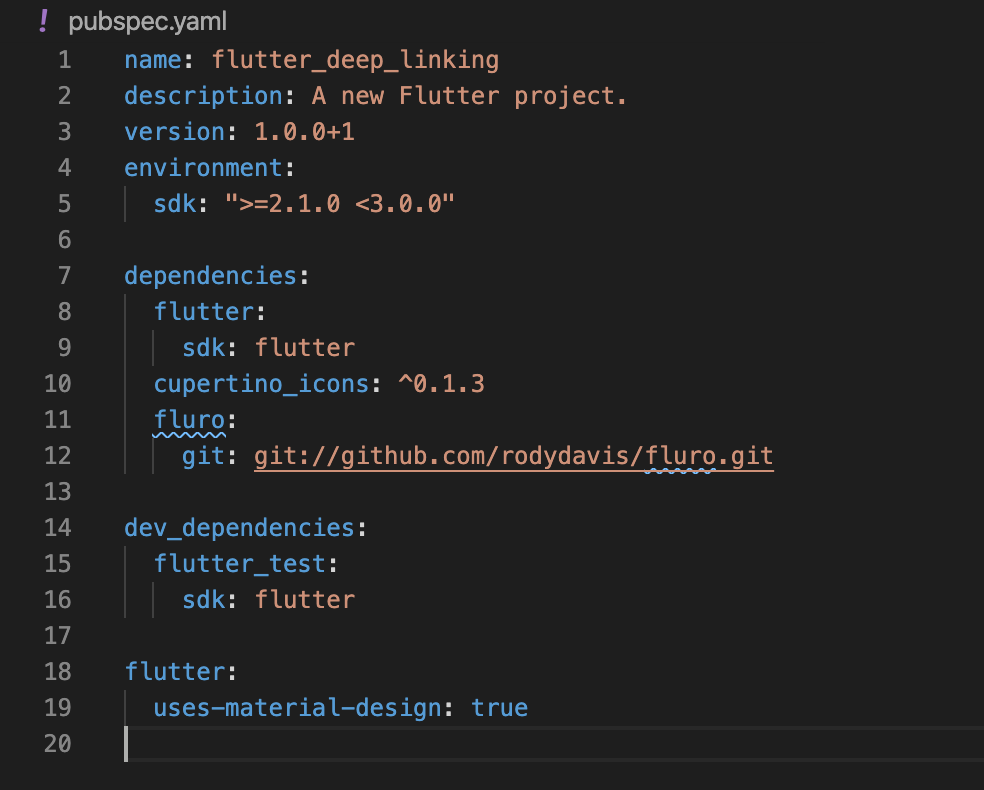 ## Step 1 Create a file at “lib/ui/home/screen.dart” and add the following: 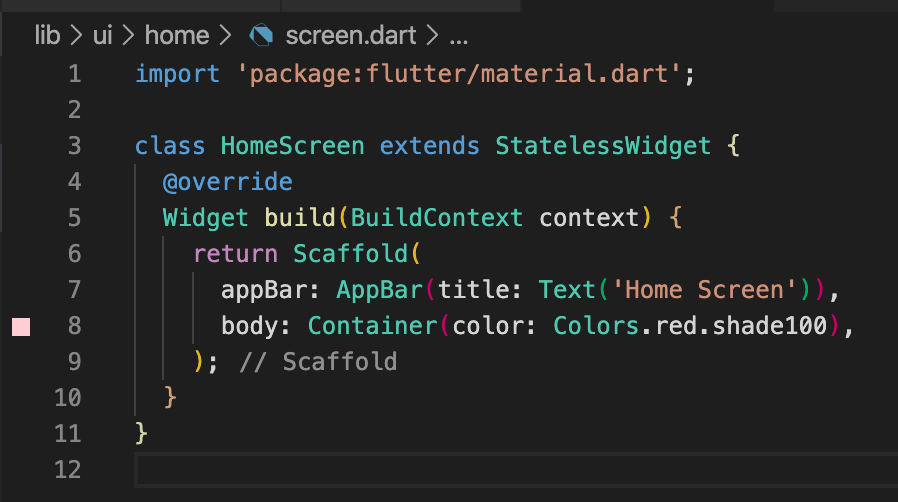 Update your “lib/main.dart” with the following: 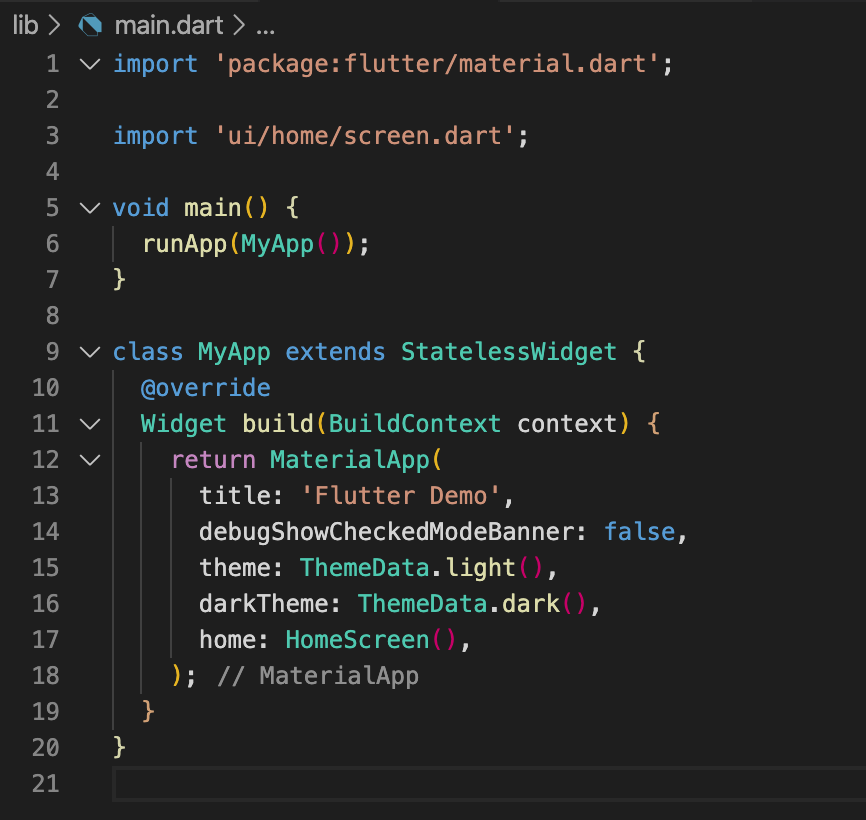 Run your application and you should see the following: 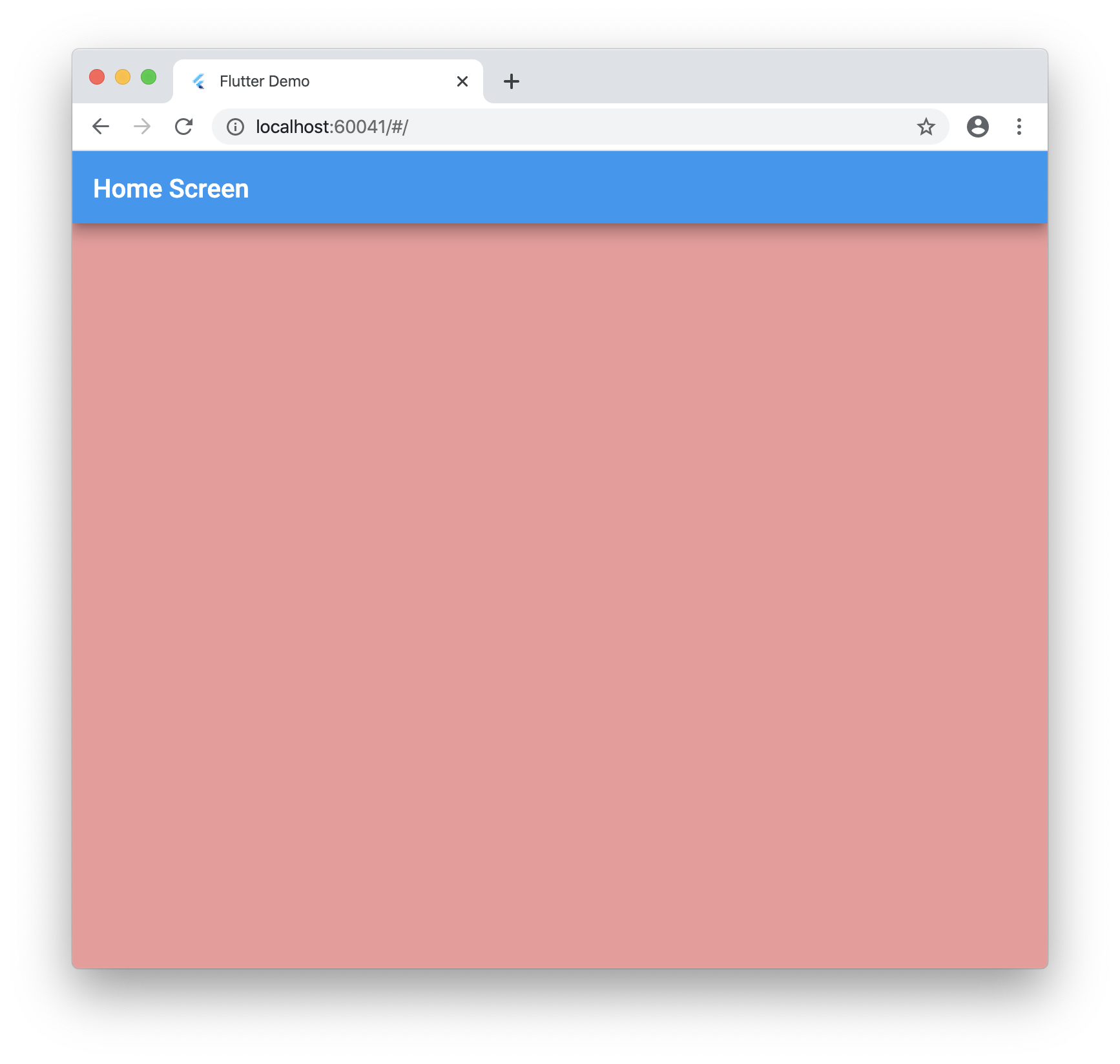 ## Step 2 Now we need to grab the url the user enters into the address bar. Create a folder at this location “lib/plugins/navigator” Create a file inside named: “web.dart” with the following: 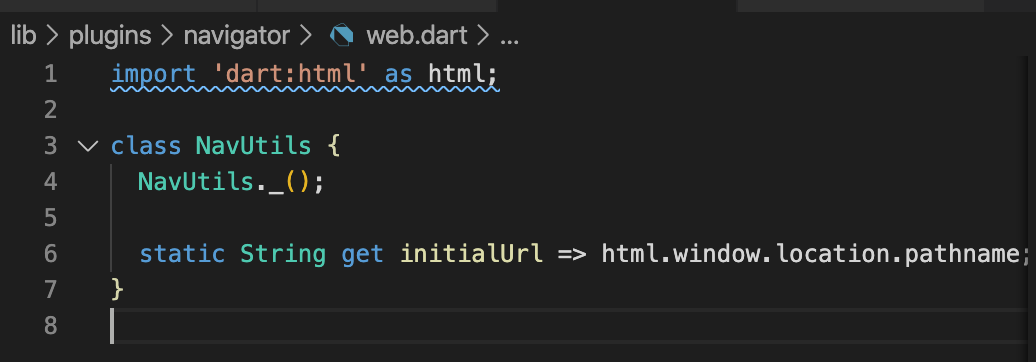 Create a file inside named: “unsupported.dart” with the following: 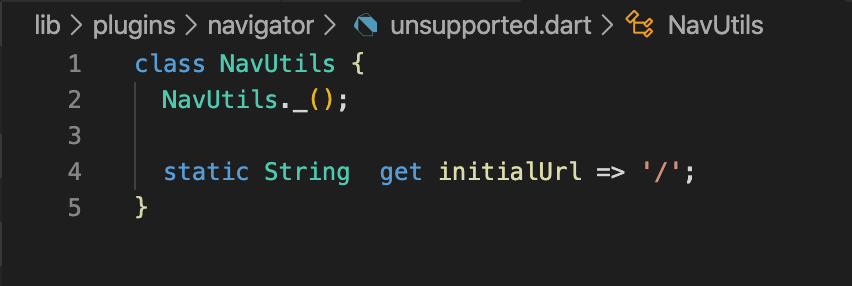 Create a file inside named: “navigator.dart” with the following:  Now go back to your “lib/main.dart” file and add the navigator: 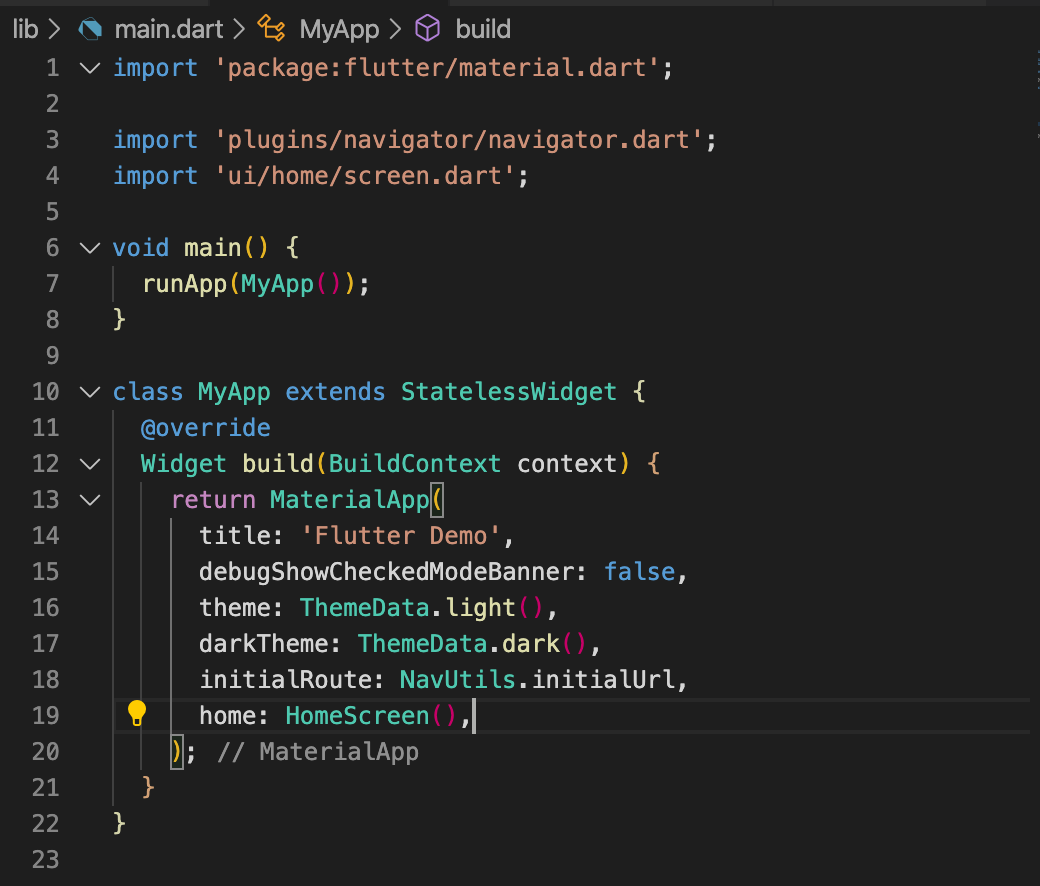 > It’s important to import the navigator as shown as this will have the conditional import for web compiling. If you run the app now nothing should change. ## Step 3 Now let’s add the proper routing. Create a new file “lib/ui/router.dart” and add the following: 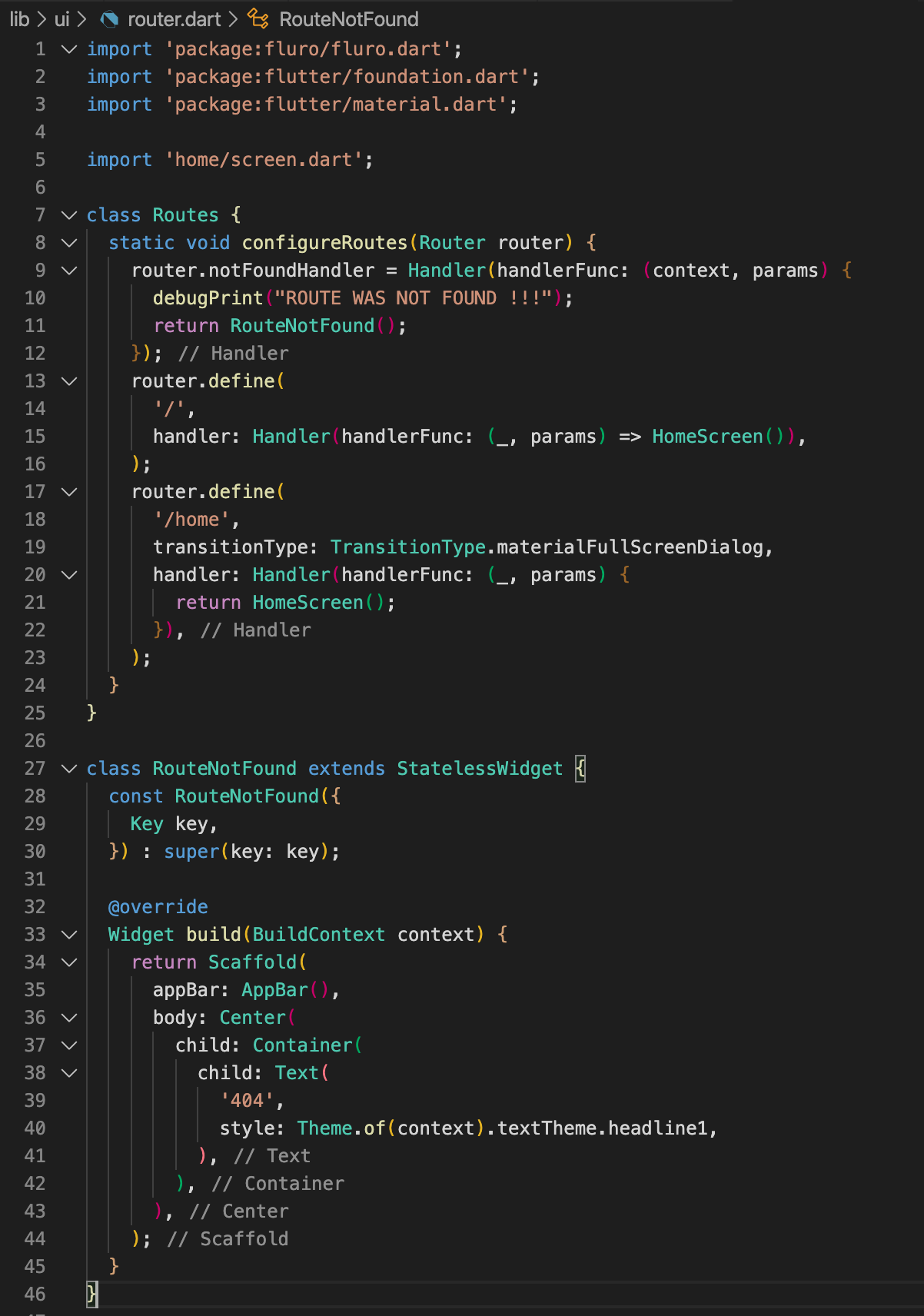 Also update “lib/main.dart” with the following: 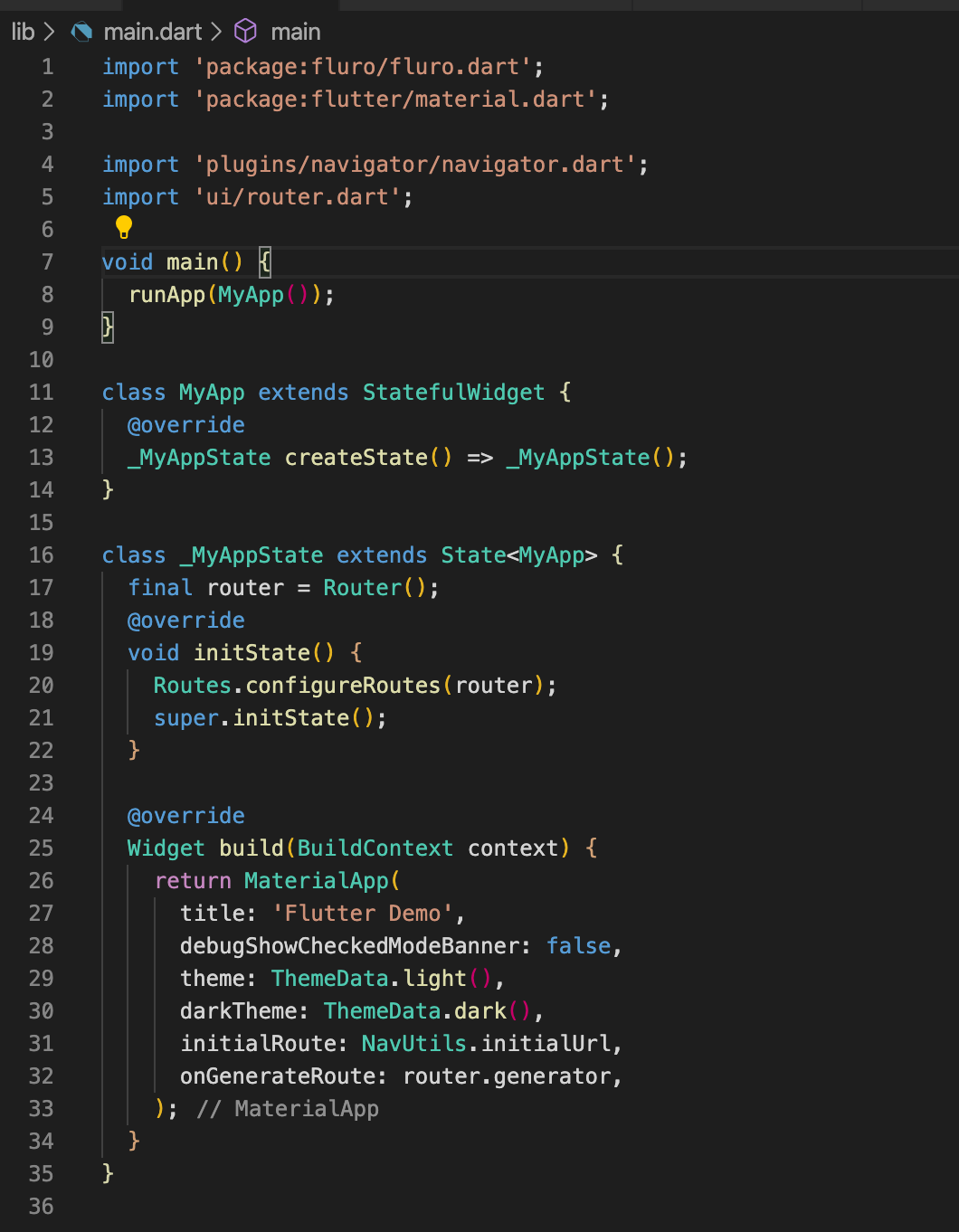 > Notice how we removed the “home” field for MaterialApp. This is because the router will handle everything. By default we will go home on “/” ## Step 4 Now let’s add multiple screens to put this to the test! Add the following folders and files. Create a file “lib/ui/account/screen.dart” and add the following: 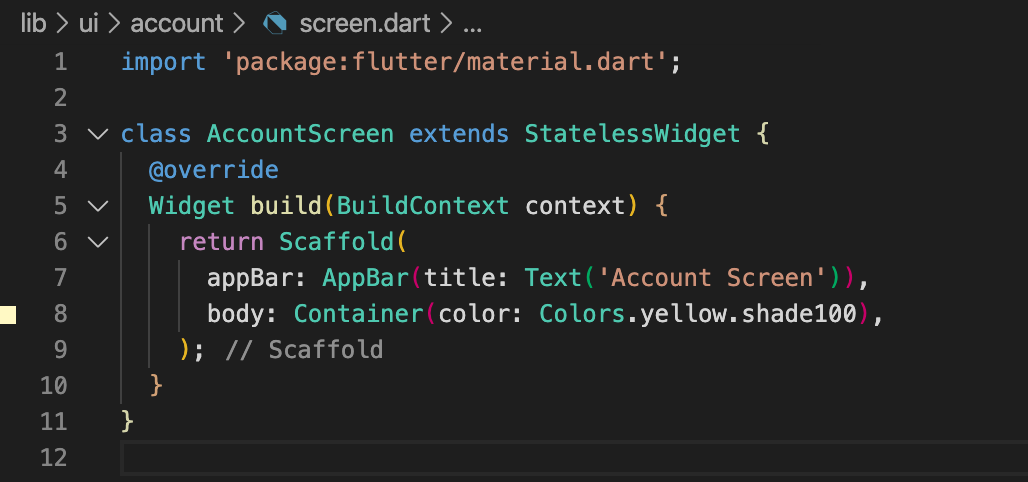 Create a file “lib/ui/settings/screen.dart” and add the following: 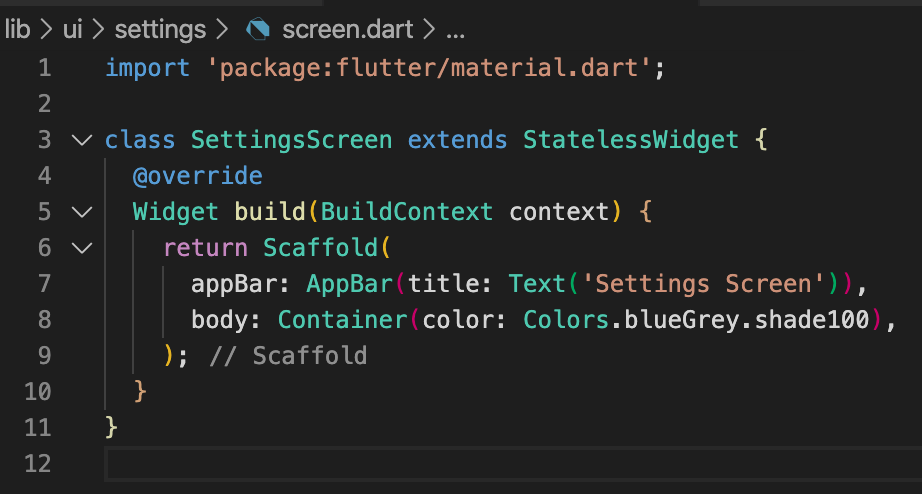 Create a file “lib/ui/about/screen.dart” and add the following: 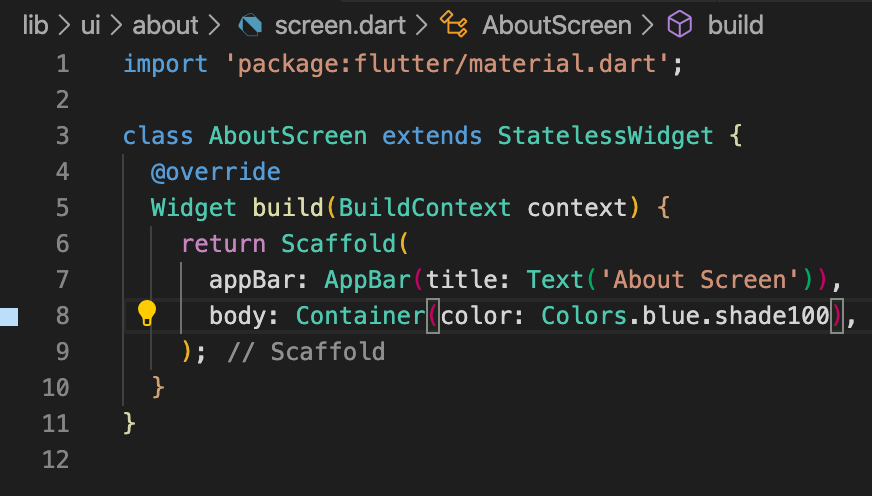 Add the following to “lib/ui/router.dart”: 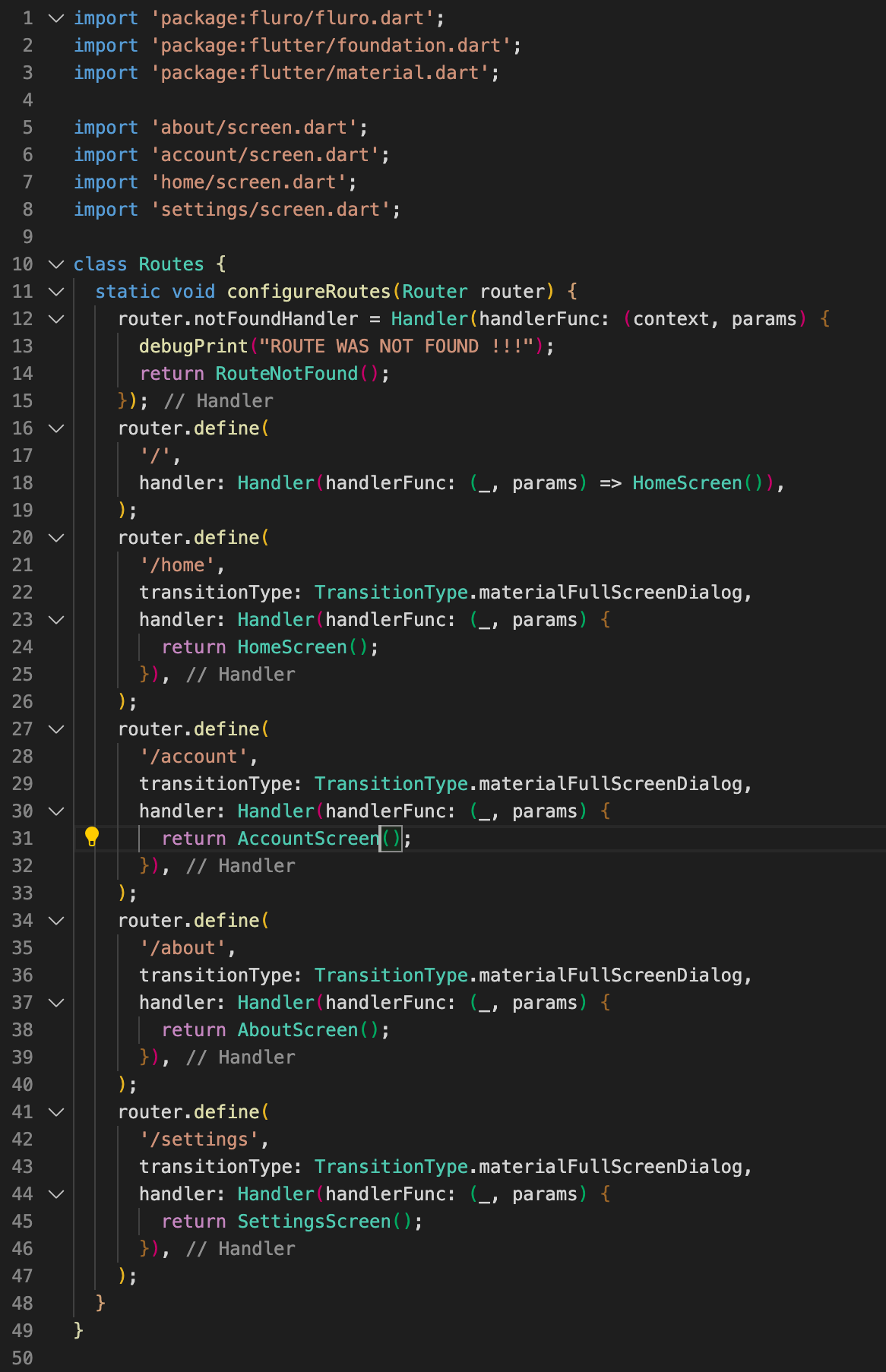 Now when you navigate to /about, /account and /settings you will go to the new pages! 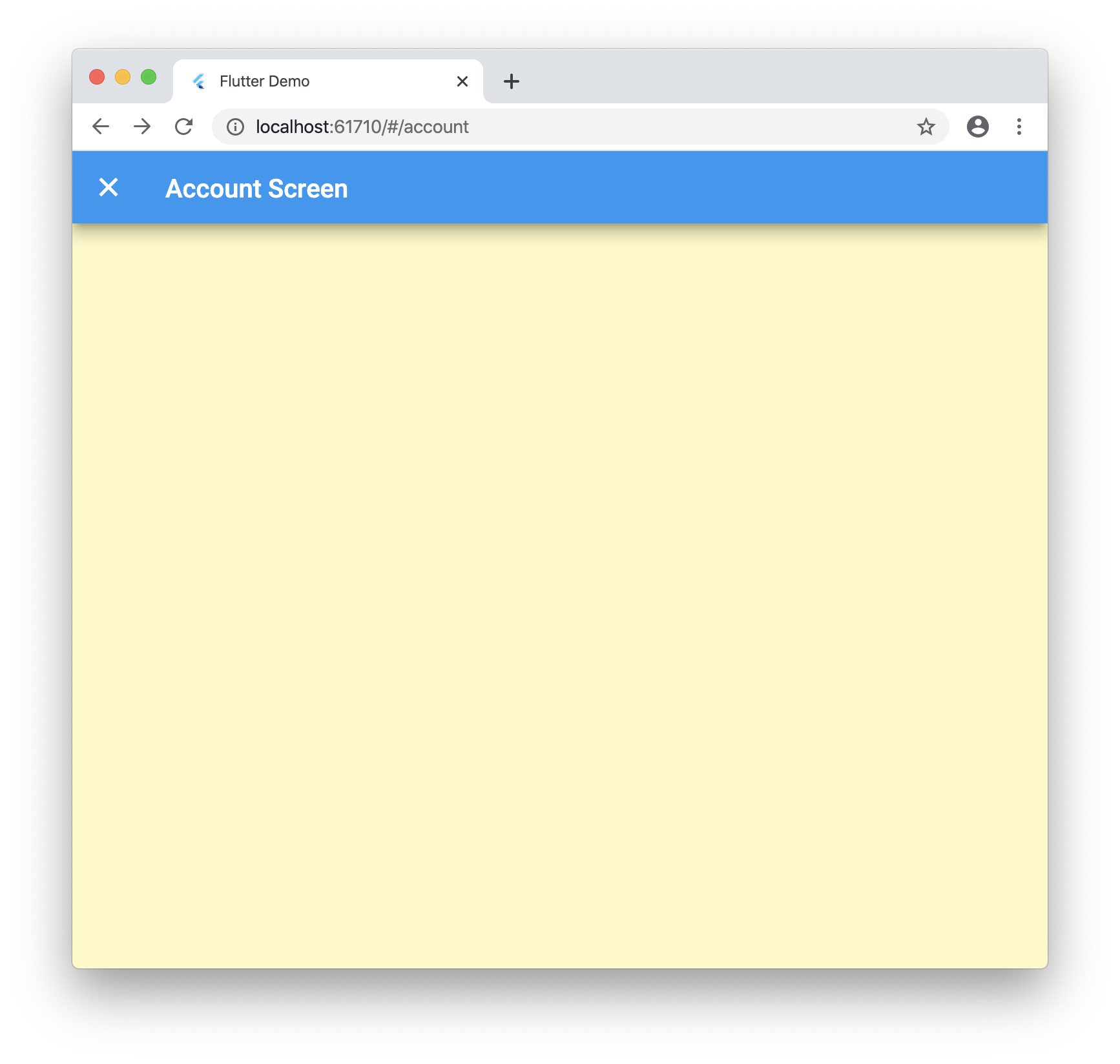 ## Step 5 Now let’s tie into the browser navigation buttons! Update “lib/ui/home/screen.dart” with the following: 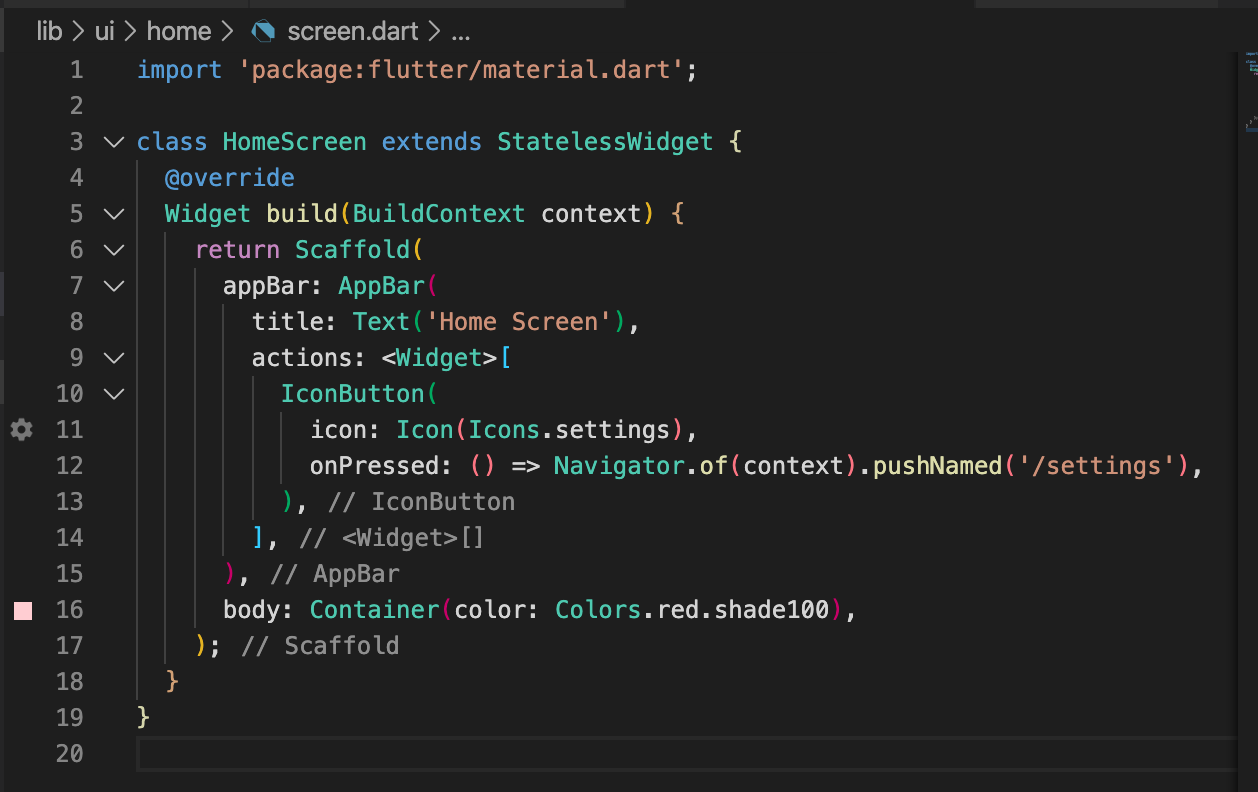 Now when you run the application and click on the settings icon it will launch the new screen as expected. But if you click your browsers back button it will go back to the home screen! 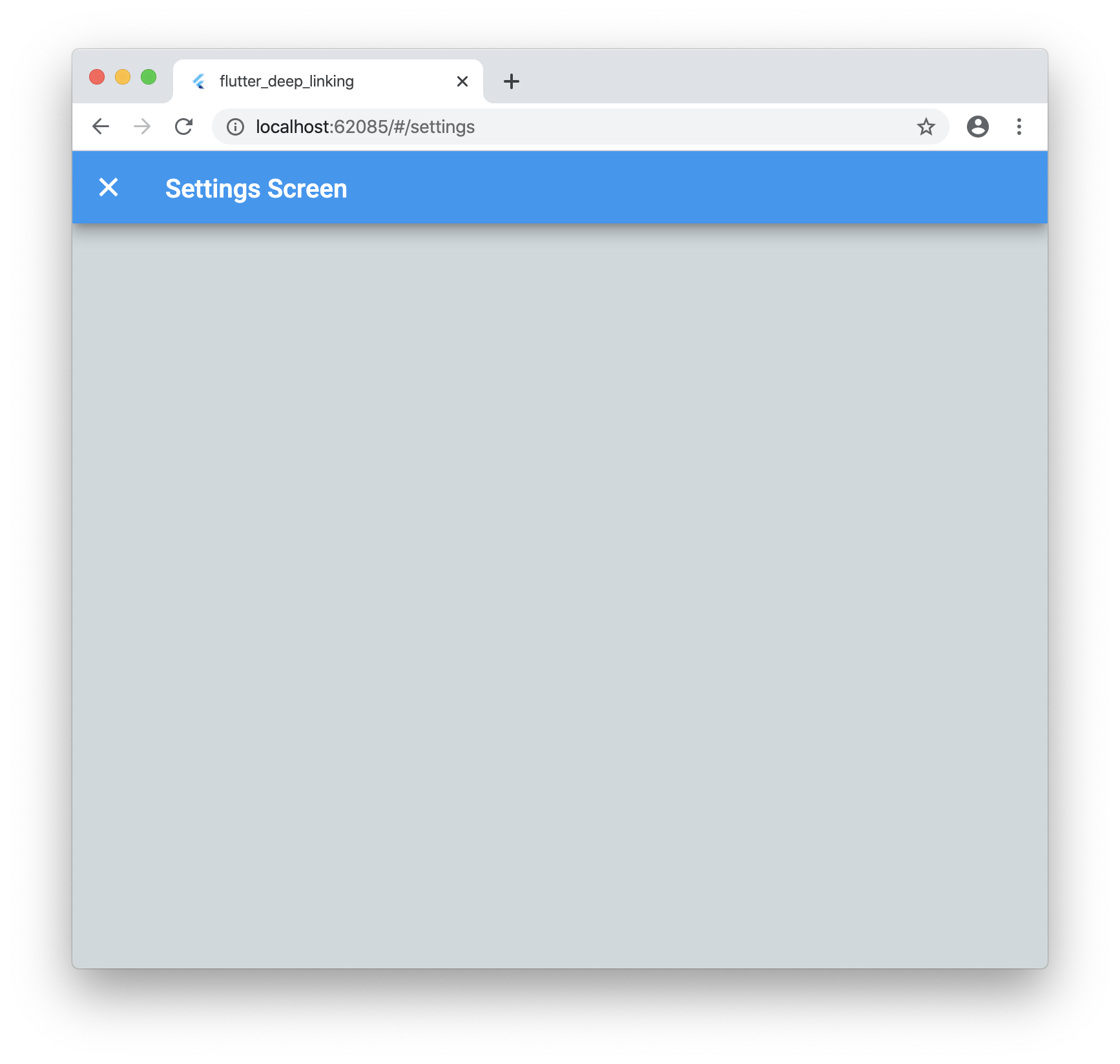 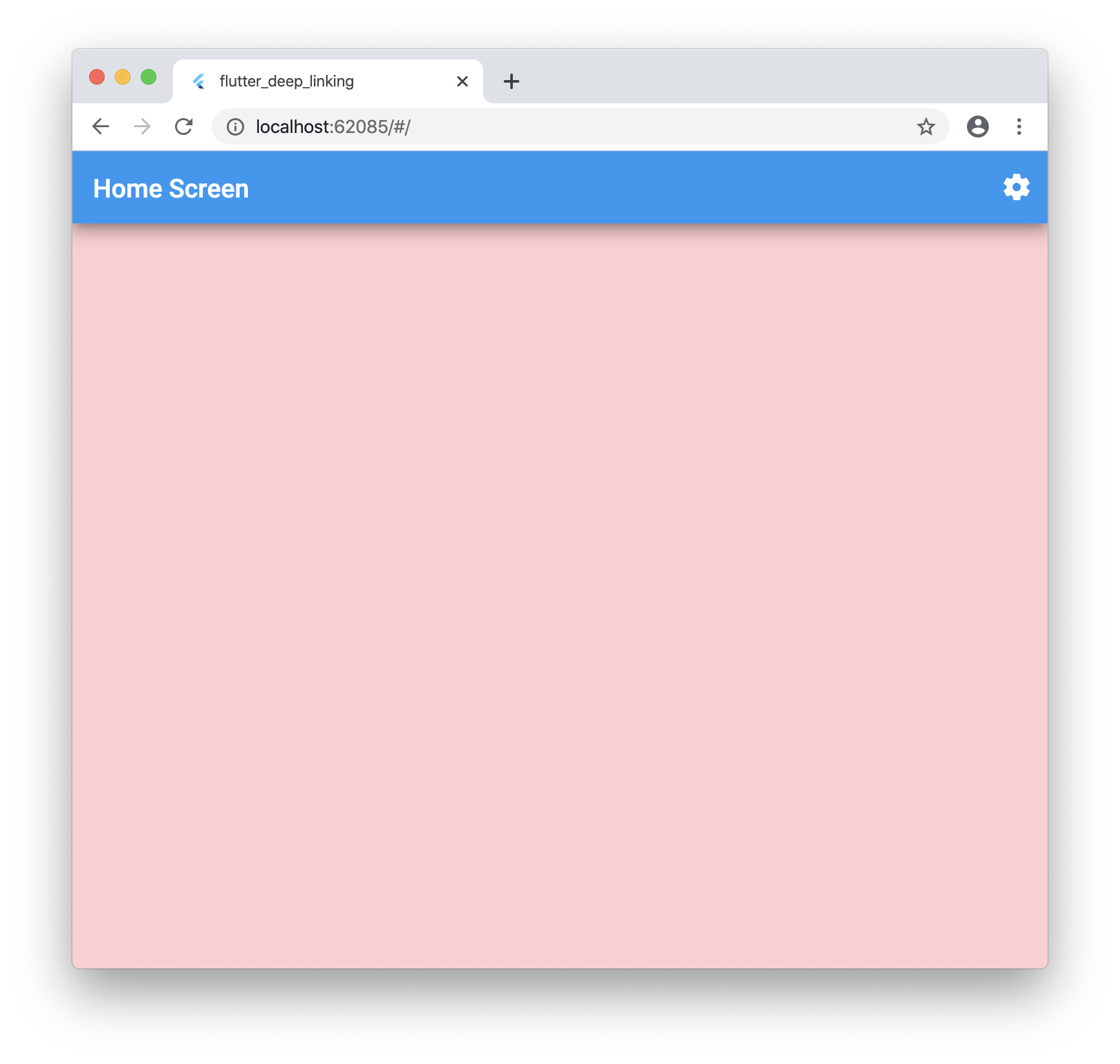 ## Step 6 These urls are great but what if you want to pass data such as an ID that is not known ahead of time? No worries! Update “lib/ui/account/screen.dart” with the following: 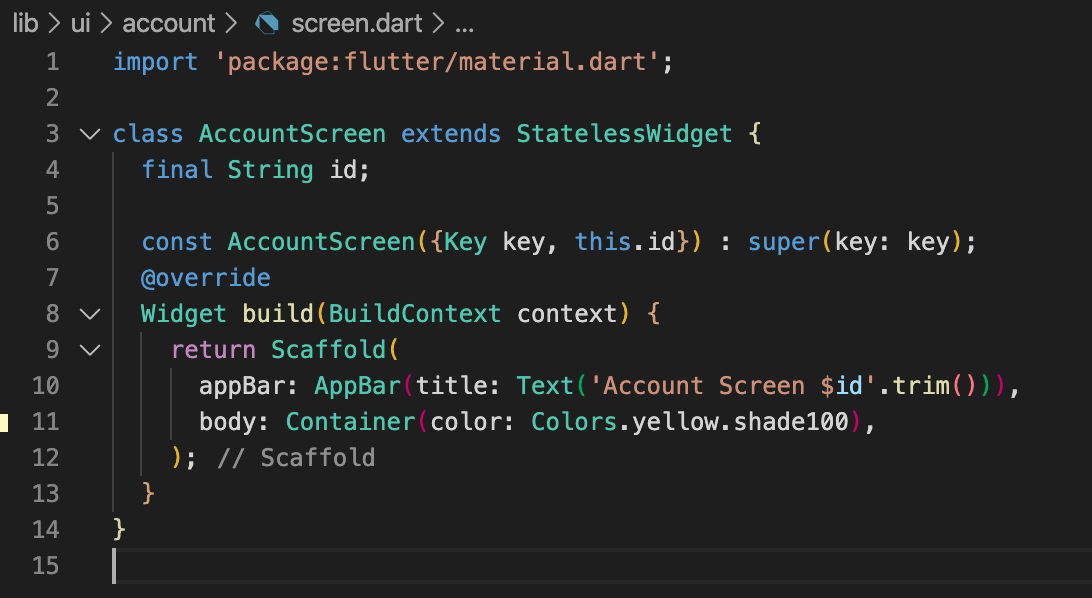 Let’s update our “lib/ui/router.dart” with the following: 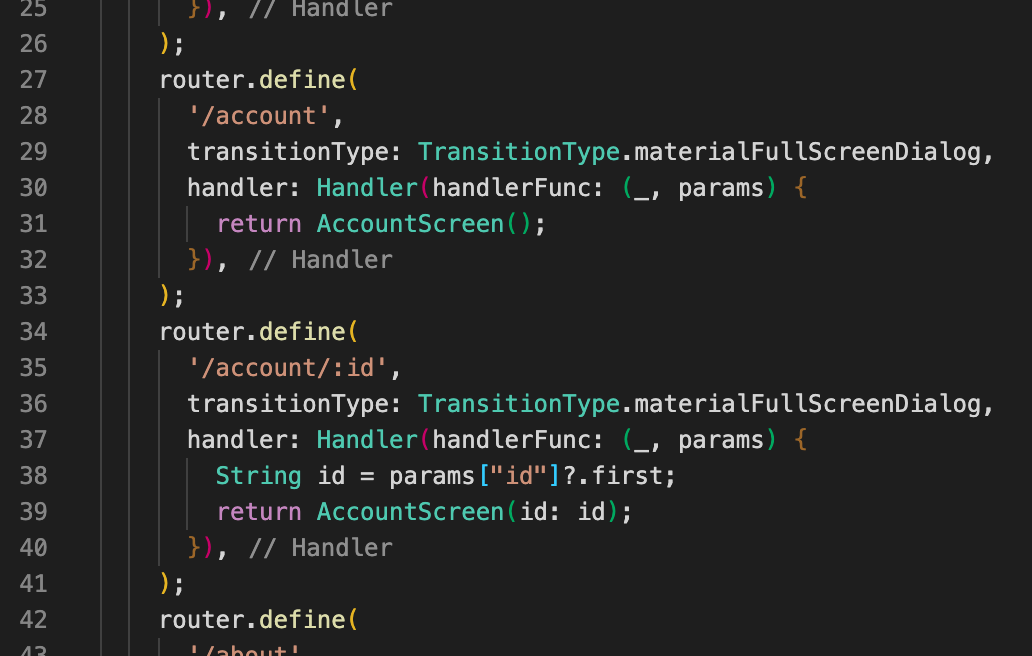 Now when you run your application and navigate to “/account/40” you will see the following: 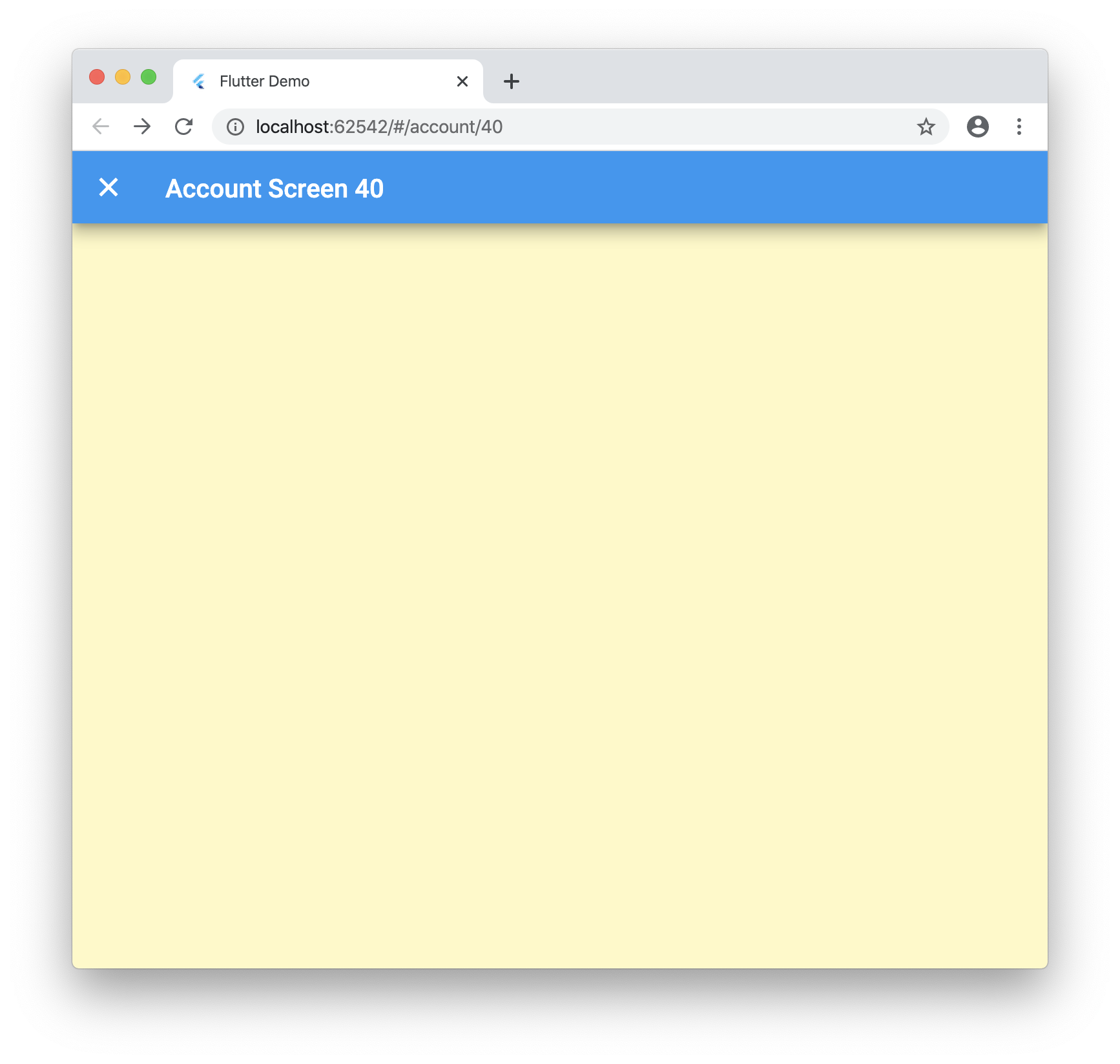 ## Conclusion Dynamic routes work great for Flutter web, you just need to know what to tweak! This package uses a forked version of fluro for some fixes I added but once the PRs is merged you can just use the regular package. Let me know what you think below and if there is a better way I am not seeing! Here is the final code: [https://github.com/rodydavis/flutter\_deep\_linking](https://github.com/rodydavis/flutter_deep_linking)
Related in General
modeling-omnistudio-epc-catalog
IncludedSalesforce Industries CME EPC product-modeling skill for Product2-based catalog creation. Use when creating EPC products, configuring product attributes, building offer bundles with Product Child Items, or reviewing EPC DataPack JSON metadata for product catalog changes. TRIGGER when: user creates or updates Product2 EPC records, AttributeAssignment payloads, AttributeMetadata/AttributeDefaultValues, Offer bundles, or ProductChildItem relationships. DO NOT TRIGGER when: designing OmniScripts/FlexCards/Integration Procedures (use building-omnistudio-omniscript, building-omnistudio-flexcard, or building-omnistudio-integration-procedure), implementing Apex business logic (use generating-apex), or troubleshooting deployment pipelines (use deploying-metadata).
relationship-science-coach
IncludedUse this skill for direct, practical adult relationship coaching: couples conflict, repair, trust, marriage, dating, flirting, attachment patterns, emotional connection, sex, desire differences, eroticism, kink negotiation, affection, love languages, breakups, and long-term passion. Draw on Gottman, EFT and Hold Me Tight, attachment science, modern sex research, Perel, Nagoski, Kerner, Schnarch, Love and Stosny, and flexible love-language tools. Be concrete and low-hedge. Redirect only for imminent danger, abuse, coercive control, minors, non-consent, self-harm, stalking, or medical/legal/psychiatric decisions.
building-sf-integrations
IncludedSalesforce integration architecture and runtime plumbing with 120-point scoring. Use this skill to set up Named Credentials, External Credentials, External Services, REST/SOAP callout patterns, Platform Events, and Change Data Capture. TRIGGER when: user sets up Named Credentials, External Services, REST/SOAP callouts, Platform Events, CDC, or touches .namedCredential-meta.xml files. DO NOT TRIGGER when: Connected App/OAuth config (use configuring-connected-apps), Apex-only logic (use generating-apex), or data import/export (use handling-sf-data).
venue-templates
IncludedAccess comprehensive LaTeX templates, formatting requirements, and submission guidelines for major scientific publication venues (Nature, Science, PLOS, IEEE, ACM), academic conferences (NeurIPS, ICML, CVPR, CHI), research posters, and grant proposals (NSF, NIH, DOE, DARPA). This skill should be used when preparing manuscripts for journal submission, conference papers, research posters, or grant proposals and need venue-specific formatting requirements and templates.
let-fate-decide
IncludedDraws the 12 Houses of the Zodiac Tarot spread to inject entropy into planning when prompts are vague, ambiguous, or casually delegated. Interprets the spread to guide next steps. Use when the user says 'let fate decide', 'YOLO', 'whatever', 'idk', or other nonchalant phrases, makes Yu-Gi-Oh references, or when you are about to arbitrarily pick between multiple reasonable approaches. Prefer over ask-questions-if-underspecified when the user's tone is casual or playful rather than precision-seeking.
net-ops
IncludedCross-platform network troubleshooting (Windows, macOS, Linux) via local or remote shell. Use for: DNS broken, can't resolve hostnames, nslookup/dig works but apps fail, NRPT, WFP, scutil, /etc/resolver, systemd-resolved, /etc/resolv.conf, NetworkManager, VPN DNS leak residue (ProtonVPN/Mullvad/WireGuard/AnyConnect), AV/firewall blocking DNS or DoH, Tailscale DNS interaction, intermittent connectivity, remote diagnostics over SSH.