gpt-image-2
Generate images with GPT Image 2 (ChatGPT Images 2.0) inside Claude Code, using your existing ChatGPT Plus or Pro subscription — no separate OpenAI access, no per-image billing. Supports text-to-image, image-to-image editing, style transfer, and multi-reference composition via the local Codex CLI. Triggers on "gpt image 2", "gpt-image-2", "ChatGPT Images 2.0", "image 2", or any explicit ask to generate or edit an image through the user's ChatGPT plan.
What this skill does
# 🪞 GPT Image 2 — Image Generation via Your ChatGPT Subscription [agentspace.so](https://agentspace.so/?utm_source=skills.sh&utm_medium=skill&utm_campaign=gpt-image-2) · [GitHub](https://github.com/agentspace-so/agent-skills/tree/main/gpt-image-2) Generate images with **GPT Image 2** (ChatGPT Images 2.0) inside your agent, using your existing ChatGPT Plus or Pro subscription — **no separate OpenAI access, no Fal or Replicate tokens, no per-image billing.** Text-to-image, image-to-image editing, style transfer, and multi-reference composition. Runs entirely through the local `codex` CLI you're already logged into. > **Heads up — this skill requires a ChatGPT Plus or Pro subscription _plus_ the Codex CLI installed locally.** If you have neither, you can use GPT Image 2 in the browser via RunComfy instead — hosted, no ChatGPT subscription or local install needed (RunComfy account required): > > - **Text-to-image:** [runcomfy.com/models/openai/gpt-image-2/text-to-image](https://www.runcomfy.com/models/openai/gpt-image-2/text-to-image) > - **Image edit (i2i):** [runcomfy.com/models/openai/gpt-image-2/edit](https://www.runcomfy.com/models/openai/gpt-image-2/edit) > > The rest of this document covers the local Codex CLI flow for agents whose user has a ChatGPT subscription. 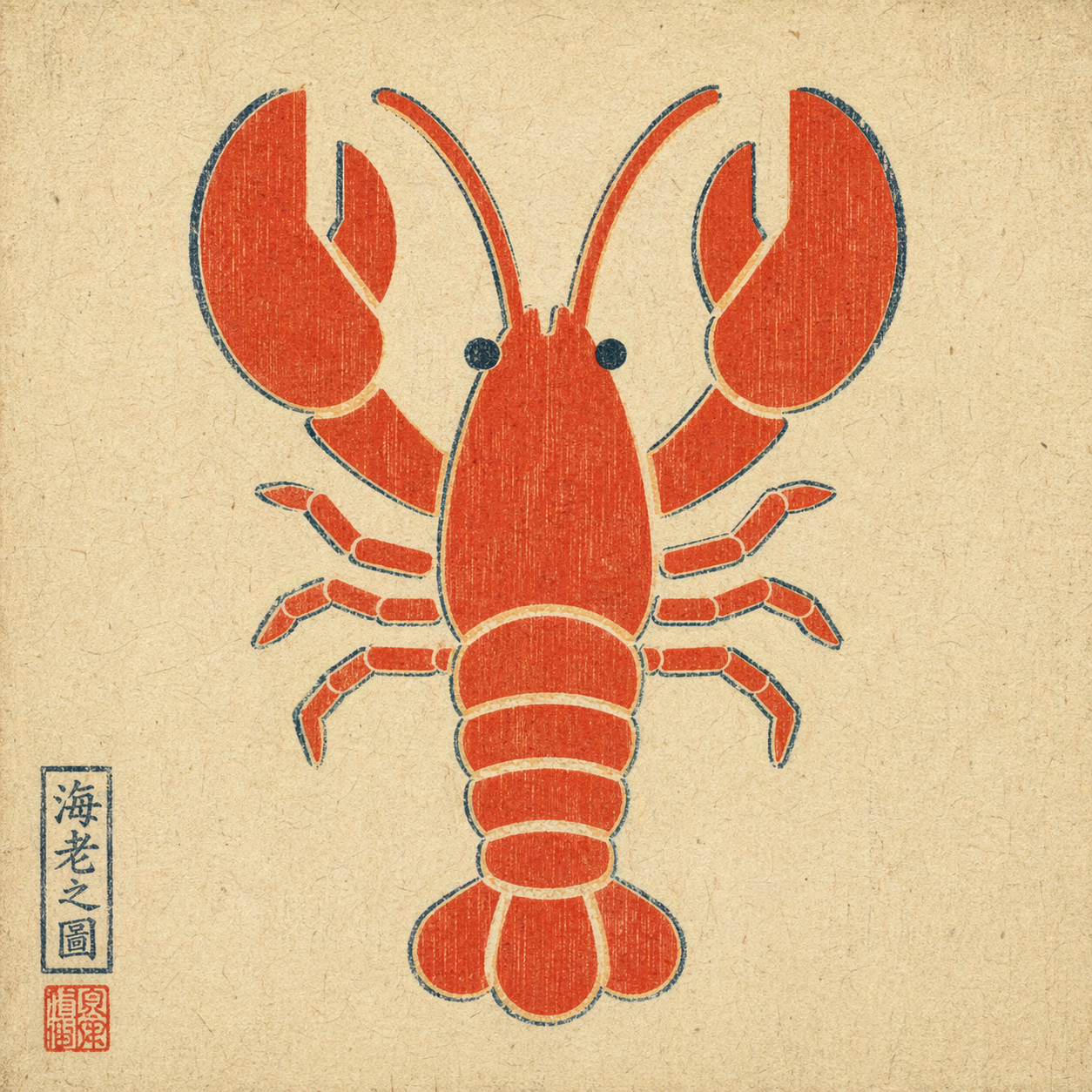 *Example output: a plain flat-color icon repainted via `--ref` in ukiyo-e style — composition preserved, rendering swapped, period-appropriate red seal added by the model unprompted.* ## When to trigger Trigger when the user explicitly asks for GPT Image 2 via their ChatGPT subscription, for example: - "use GPT Image 2" / "use gpt-image-2" / "use ChatGPT Images 2.0" - "use Image 2" / "image 2 this" - attached a reference image and asked to remix / edit / restyle it Do **not** auto-trigger for a plain "generate an image" request if the user didn't specify this route. If they did specify it, do not silently fall back to HTML mockups, screenshots, or a different image model. ## How to invoke A single bash script handles everything: runs `codex exec` with the right flags, then decodes the generated image from the persisted session rollout. **Text-to-image:** ```bash bash scripts/gen.sh \ --prompt "<user's raw prompt>" \ --out <absolute/path/to/output.png> ``` **Image-to-image** (reference flag is repeatable for multi-reference composition): ```bash bash scripts/gen.sh \ --prompt "<user's raw prompt, e.g. 'repaint in watercolor'>" \ --ref /absolute/path/to/reference.png \ --out <absolute/path/to/output.png> ``` Optional: `--timeout-sec 300` (default 300). ## Default behavior - **Pass the user's prompt through raw.** Do not translate, polish, or add style modifiers unless the user asked for it. - **Choose the output path.** Default to `./image-<YYYYMMDD-HHMMSS>.png` in the current working directory if the user didn't specify. - **Deliver the image.** After the script succeeds, display / attach the output file. Do not stop at "done, see path X". - **Text-heavy layouts are fine.** Image 2 handles infographics and timeline prompts well. Do not preemptively warn just because a prompt has a lot of text. ## Hard constraints - Do not switch routes without permission. If the user said "use GPT Image 2", do not substitute DALL·E, Midjourney, an HTML mockup, or a manual screenshot workflow. - Do not rewrite the prompt unless asked. - Do not imply this skill works without a local `codex` login and a valid ChatGPT subscription with image-generation entitlement. ## Prerequisites 1. `codex` CLI installed — `brew install codex` or see [openai/codex](https://github.com/openai/codex). 2. Logged in with a ChatGPT plan that includes Image 2 — `codex login`. 3. `python3` on PATH (ships with macOS; `apt install python3` on Linux). This skill does **not** grant image-generation capability on its own. It exposes the capability the user already has through their ChatGPT subscription. ## Exit codes | code | meaning | |------|---------| | 0 | success — output path printed on stdout | | 2 | bad args | | 3 | `codex` or `python3` CLI missing | | 4 | `--ref` file does not exist | | 5 | `codex exec` failed (auth? network? model?) | | 6 | no new session file detected | | 7 | imagegen did not produce an image payload (feature not enabled, quota, or capability refused) | On failure, name the layer in one sentence instead of dumping the full stderr at the user. ## How it works The `codex` CLI reuses the logged-in ChatGPT session and exposes an `imagegen` tool (gated behind the `image_generation` feature flag). The script: 1. snapshots `~/.codex/sessions/` before the run 2. runs `codex exec --enable image_generation --sandbox read-only ...` (with `-i <file>` for each reference image) 3. diffs the sessions directory, then invokes `scripts/extract_image.py` to scan every new rollout JSONL for a base64 image payload (PNG / JPEG / WebP magic-header match) 4. decodes the largest matching blob and writes it to `--out` Two non-obvious flags other wrappers get wrong on codex-cli 0.111.0+: - `--enable image_generation` is **required**; the feature is still under-development and off by default. - `--ephemeral` **must not** be used — ephemeral sessions aren't persisted, so the image payload has nowhere to live. ## Data handling The script is narrowly scoped on purpose: - It reads **only** session rollout files created by its own `codex exec` invocation. The sessions directory is snapshotted before the call and diffed after, so any prior `~/.codex/sessions/*` files (which may contain unrelated Codex conversations) are never touched, read, or transmitted. - It writes only two kinds of file: the output PNG at the caller's `--out` path, and short-lived `mktemp` logs that are auto-deleted on exit via a trap. - No environment variables are read. No credentials are requested. No other paths under `~/.codex/` are accessed. - No network calls leave this skill. The only outbound traffic is the one made by the `codex` CLI itself (to OpenAI, using the user's existing ChatGPT login) — this skill does not add endpoints, telemetry, or callbacks. ## What this skill is not Not a direct OpenAI API client. Not a capability grant — it depends on the user's working Codex CLI login. Not a multi-tenant service (one call per invocation; concurrent calls are serialized by the filesystem-snapshot diff).
Related in Image & Video
watch
IncludedWatch a video (URL or local path). Downloads with yt-dlp, extracts auto-scaled frames with ffmpeg, pulls the transcript from captions (or Whisper API fallback), and hands the result to Claude so it can answer questions about what's in the video.
physical-ai-defect-image-generation
IncludedUse when the user wants to orchestrate defect image generation, run associated setup, or handle outputs on OSMO. The Day 0 path handles cold-start with USD-to-ROI, image-edit augmentation, and AnomalyGen to create initial PCBA datasets. The Day 1 path performs inference and labeling on real images. This skill helps with first-time asset setup, creation of finetuning checkpoints, and configuring deployment. Trigger keywords: defect image generation, dig workflow, dig pipeline, defect image detection workflow, aoi pipeline, aoi anomalygen, usd2roi anomalygen, day 0 pcba, day 1 pcba, day 1 real-photo alignment, day 1 manual roi, metal surface anomaly, glass defect, anomalygen finetune, setup_pcb, setup_metal, setup_glass, setup_pretrained, dig setup, dig datasets, dig pretrained checkpoint, dig image-edit endpoint.
accelint-react-best-practices
IncludedReact performance optimization and best practices. ALWAYS use this skill when working with any React code - writing components, hooks, JSX; refactoring; optimizing re-renders, memoization, state management; reviewing for performance; fixing hydration mismatches; debugging infinite re-renders, stale closures, input focus loss, animations restarting; preventing remounting; implementing transitions, lazy initialization, effect dependencies. Even simple React tasks benefit from these patterns. Covers React 19+ (useEffectEvent, Activity, ref props). Triggers - useEffect, useState, useMemo, useCallback, memo, inline components, nested components, components inside components, re-render, performance, hydration, SSR, Next.js, useDeferredValue, combined hooks.
elevenlabs-agents
IncludedBuild conversational AI voice agents with ElevenLabs Platform using React, JavaScript, React Native, or Swift SDKs. Configure agents, tools (client/server/MCP), RAG knowledge bases, multi-voice, and Scribe real-time STT. Use when: building voice chat interfaces, implementing AI phone agents with Twilio, configuring agent workflows or tools, adding RAG knowledge bases, testing with CLI "agents as code", or troubleshooting deprecated @11labs packages, Android audio cutoff, CSP violations, dynamic variables, or WebRTC config. Keywords: ElevenLabs Agents, ElevenLabs voice agents, AI voice agents, conversational AI, @elevenlabs/react, @elevenlabs/client, @elevenlabs/react-native, @elevenlabs/elevenlabs-js, @elevenlabs/agents-cli, elevenlabs SDK, voice AI, TTS, text-to-speech, ASR, speech recognition, turn-taking model, WebRTC voice, WebSocket voice, ElevenLabs conversation, agent system prompt, agent tools, agent knowledge base, RAG voice agents, multi-voice agents, pronunciation dictionary, voice speed control, elevenlabs scribe, @11labs deprecated, Android audio cutoff, CSP violation elevenlabs, dynamic variables elevenlabs, case-sensitive tool names, webhook authentication
humanizer
IncludedHumanize AI-generated text by detecting and removing patterns typical of LLM output. Rewrites text to sound natural, specific, and human. Uses 28 pattern detectors, 560+ AI vocabulary terms across 3 tiers, and statistical analysis (burstiness, type-token ratio, readability) for comprehensive detection. Use when asked to humanize text, de-AI writing, make content sound more natural/human, review writing for AI patterns, score text for AI detection, or improve AI-generated drafts. Covers content, language, style, communication, and filler categories.
generating-mermaid-diagrams
IncludedSalesforce architecture diagrams using Mermaid with ASCII fallback. Use this skill when generating text-based diagrams for Salesforce architecture, OAuth flows, ERDs, integration sequences, or Agentforce structure. TRIGGER when: user says "diagram", "visualize", "ERD", or asks for sequence diagrams, flowcharts, class diagrams, or architecture visualizations in Mermaid. DO NOT TRIGGER when: user wants PNG/SVG image output (use generating-visual-diagrams), or asks about non-Salesforce systems.