how-to-build-a-webrtc-signal-server-with-pocketbase
Learn how to build a simple WebRTC video call application using PocketBase as a signaling server, enabling peer-to-peer communication with SQLite on the server and realtime updates via Server Sent Events.
What this skill does
# How to Build a WebRTC Signal Server with PocketBase
## Overview
If you are new to WebRTC then I suggest checking out this great Fireship video on [WebRTC in 100 seconds](https://youtu.be/WmR9IMUD_CY?si=c6xEDVslDOsIJzyP):
Also if you are looking for a [Firebase](https://firebase.google.com/) example then check out [this repository](https://github.com/fireship-io/webrtc-firebase-demo) which this example is largely based on.
This example is built using [PocketBase](https://pocketbase.io/) as the [signal server](https://developer.mozilla.org/en-US/docs/Web/API/WebRTC_API/Signaling_and_video_calling) for [WebRTC](https://webrtc.org/) and runs [SQLite](https://www.sqlite.org/index.html) on the server with easy to use realtime SDKs built on top of [Server Sent Events (SSE)](https://developer.mozilla.org/en-US/docs/Web/API/Server-sent_events/Using_server-sent_events).
## Setting up the server
[Download PocketBase](https://pocketbase.io/docs/) and create a new directory that we will use for the project.
```
mkdir webrtc-pocketbase-demo
cd webrtc-pocketbase-demo
```
Copy the PocketBase binary into the directory you just created under a sub directory `.pb`. If you are on MacOS you will need to [allow the executable](https://discussions.apple.com/thread/253681758) to run in settings.
Start the PocketBase server with the following command:
```
.pb/pocketbase serve
```
If all goes well you should see the following:
```
2023/11/04 15:10:56 Server started at http://127.0.0.1:8090
├─ REST API: http://127.0.0.1:8090/api/
└─ Admin UI: http://127.0.0.1:8090/_/
```
Open up the Admin UI url and create a new username and password.
For this example the email and password will be the following:
Key
Value
Email
[\[email protected\]](/cdn-cgi/l/email-protection#dca8b9afa89cb9a4bdb1acb0b9f2bfb3b1)
Password
Test123456789
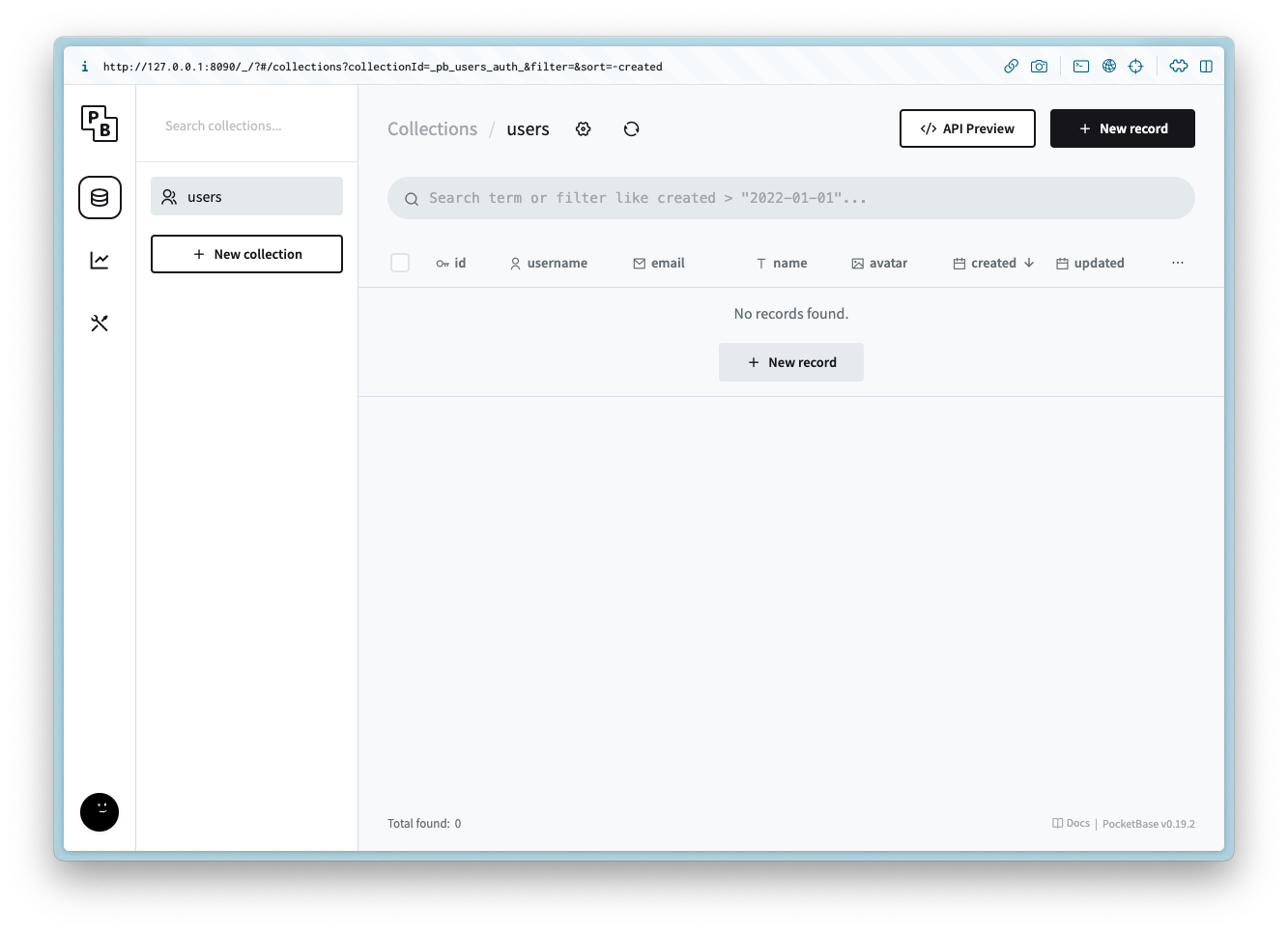
You should now see the following:
### Creating the collections
#### ice\_servers
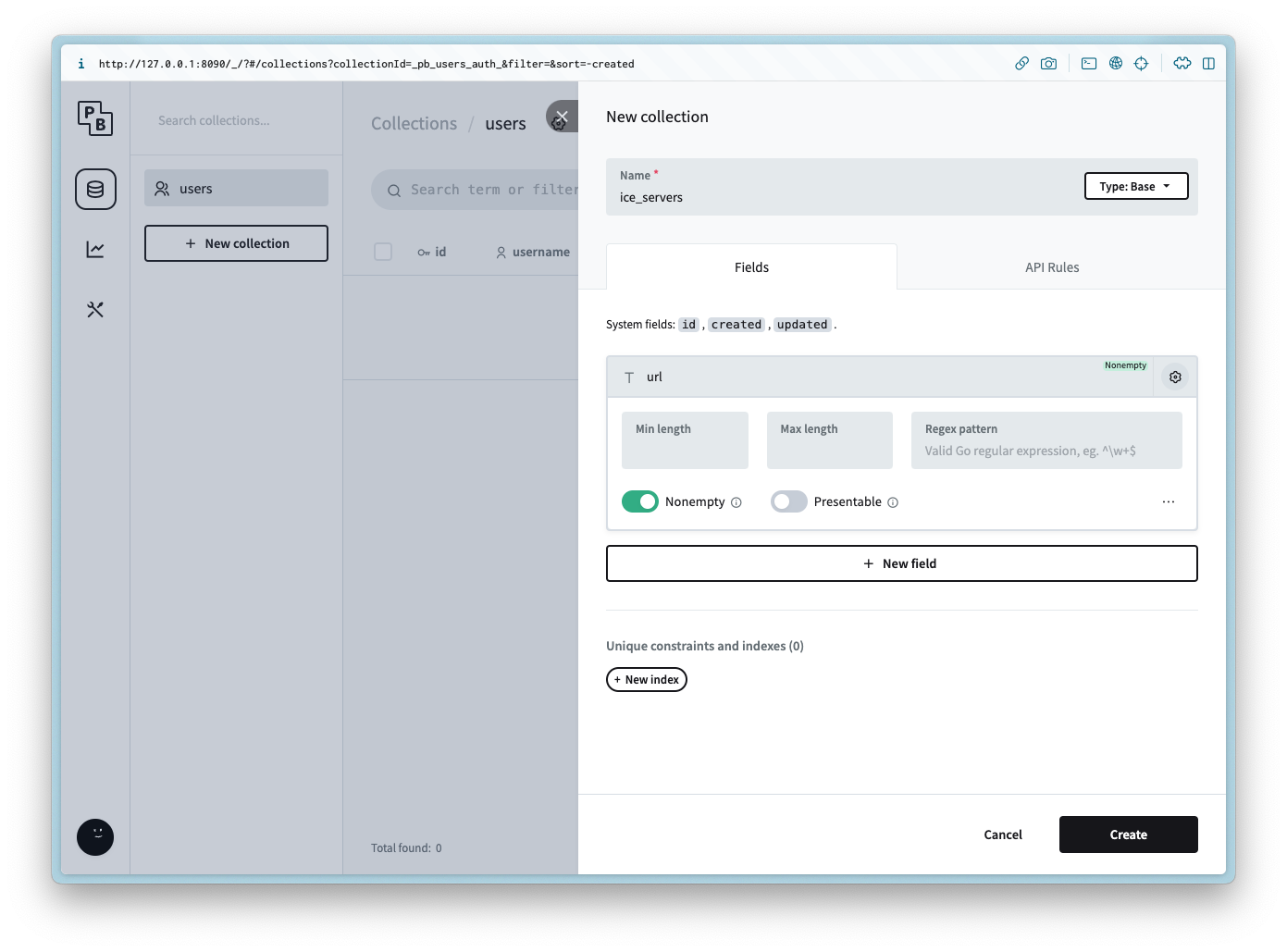
Create a new collection named `ice_servers` with the following columns:
Column Name
Column Type
url
Plain text
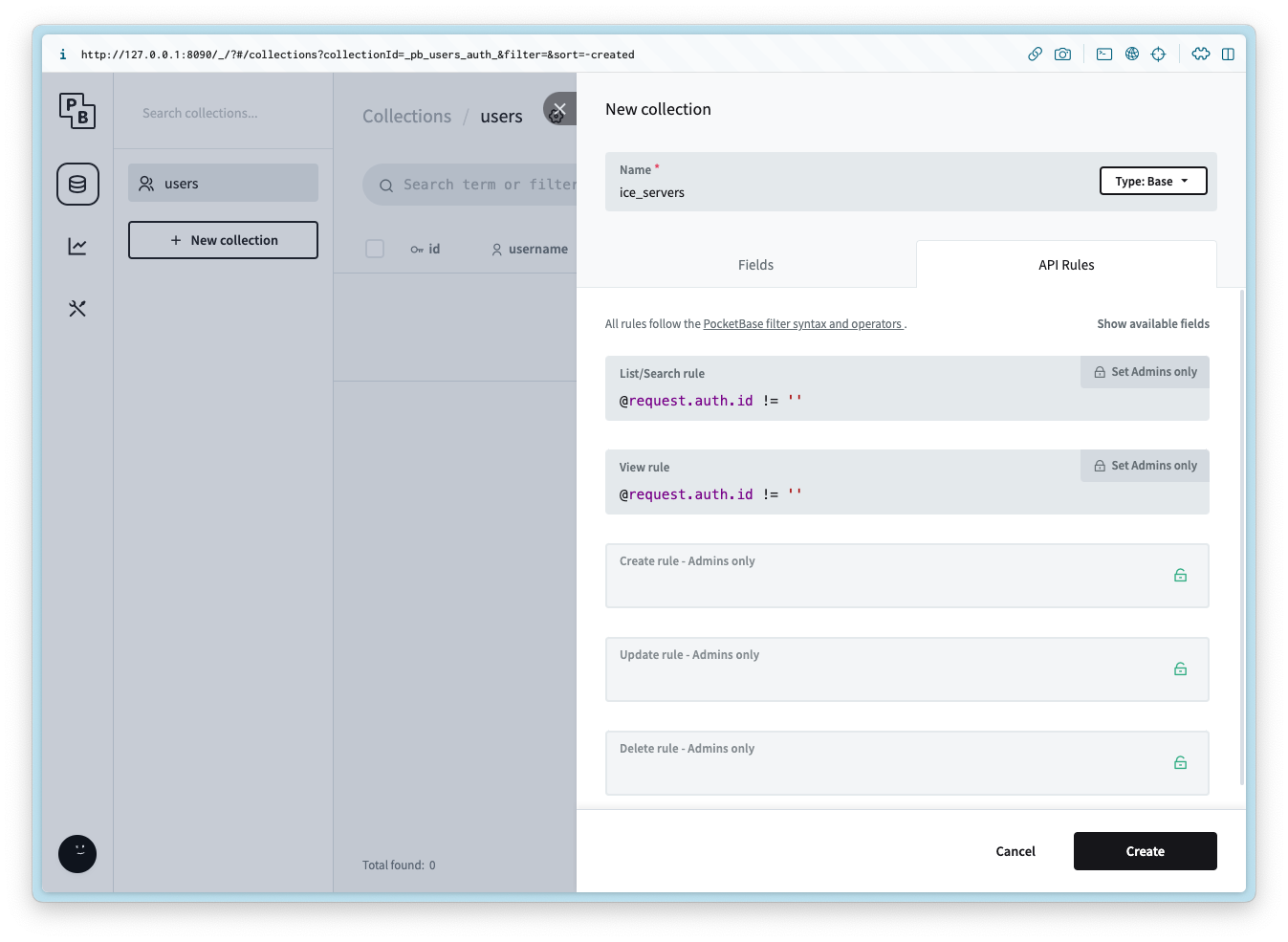
Add the following API rule to the List/Search and View:
```
@request.auth.id != ''
```
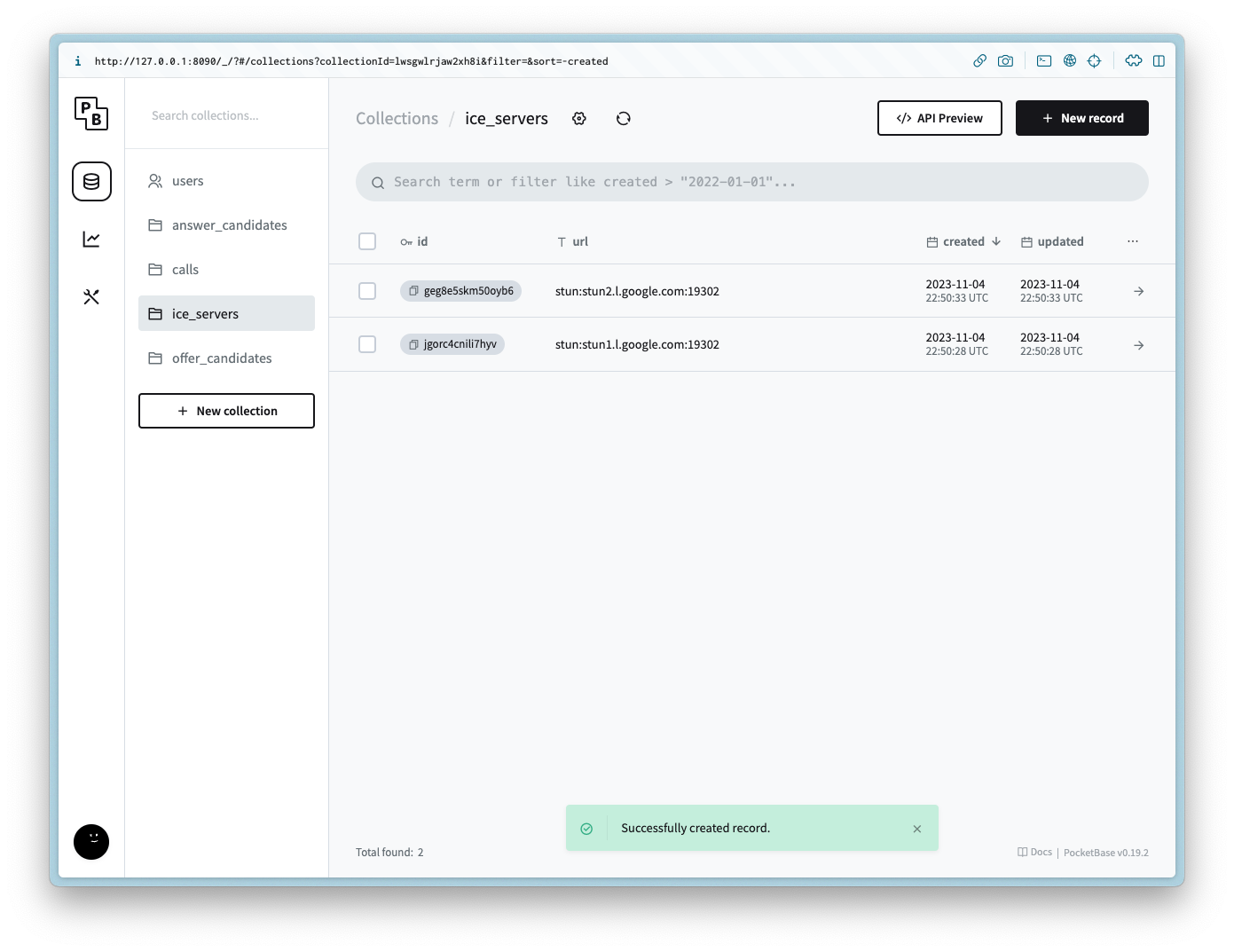
After the collection is created add 2 records for each of the following values for the url:
```
stun:stun1.l.google.com:19302
stun:stun2.l.google.com:19302
```
#### calls
Create a new collection named `calls` with the following columns:
Column Name
Column Type
Column Settings
user\_id
Relation
Non empty, `users`, Cascade delete is `true`
offer
JSON
answer
JSON
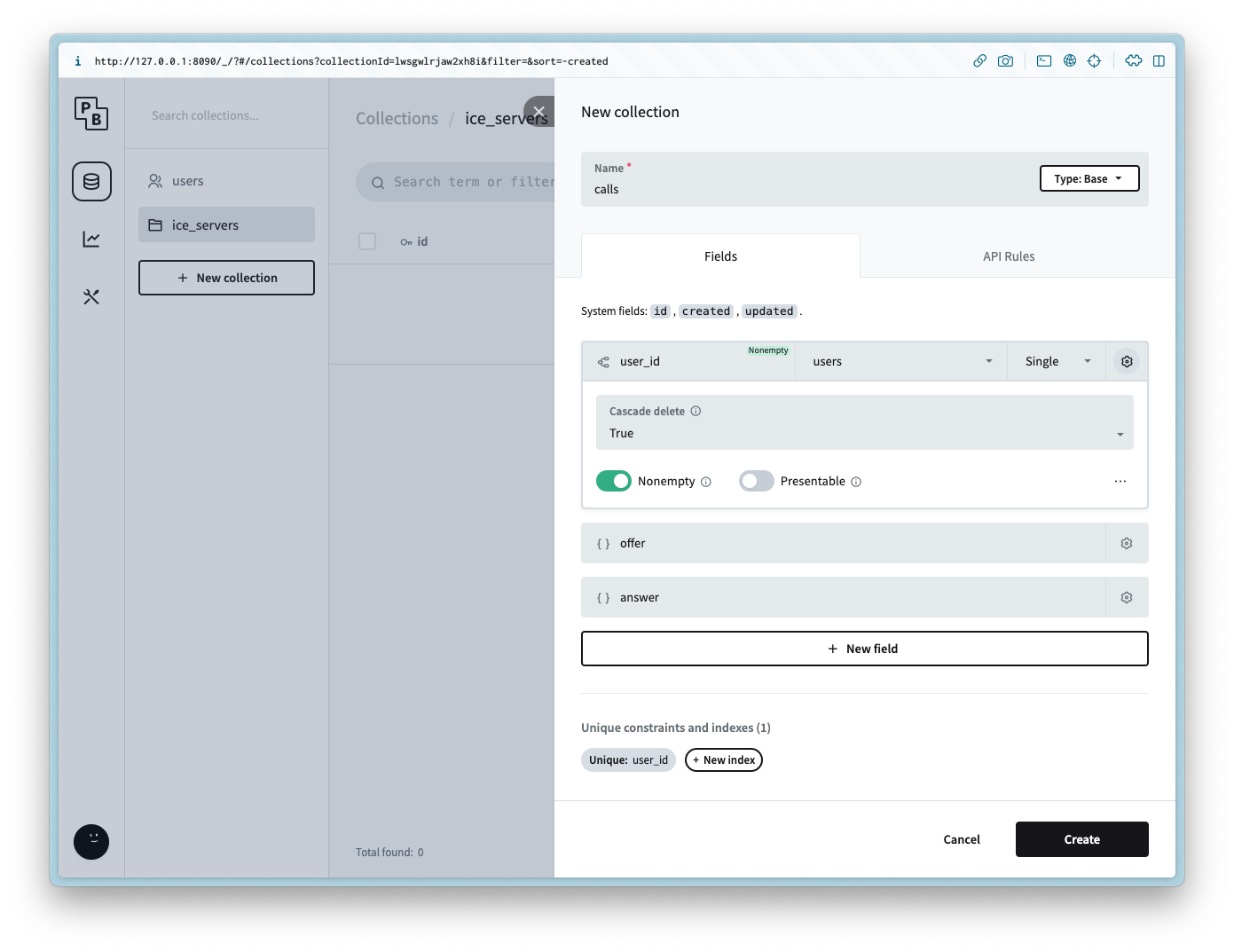
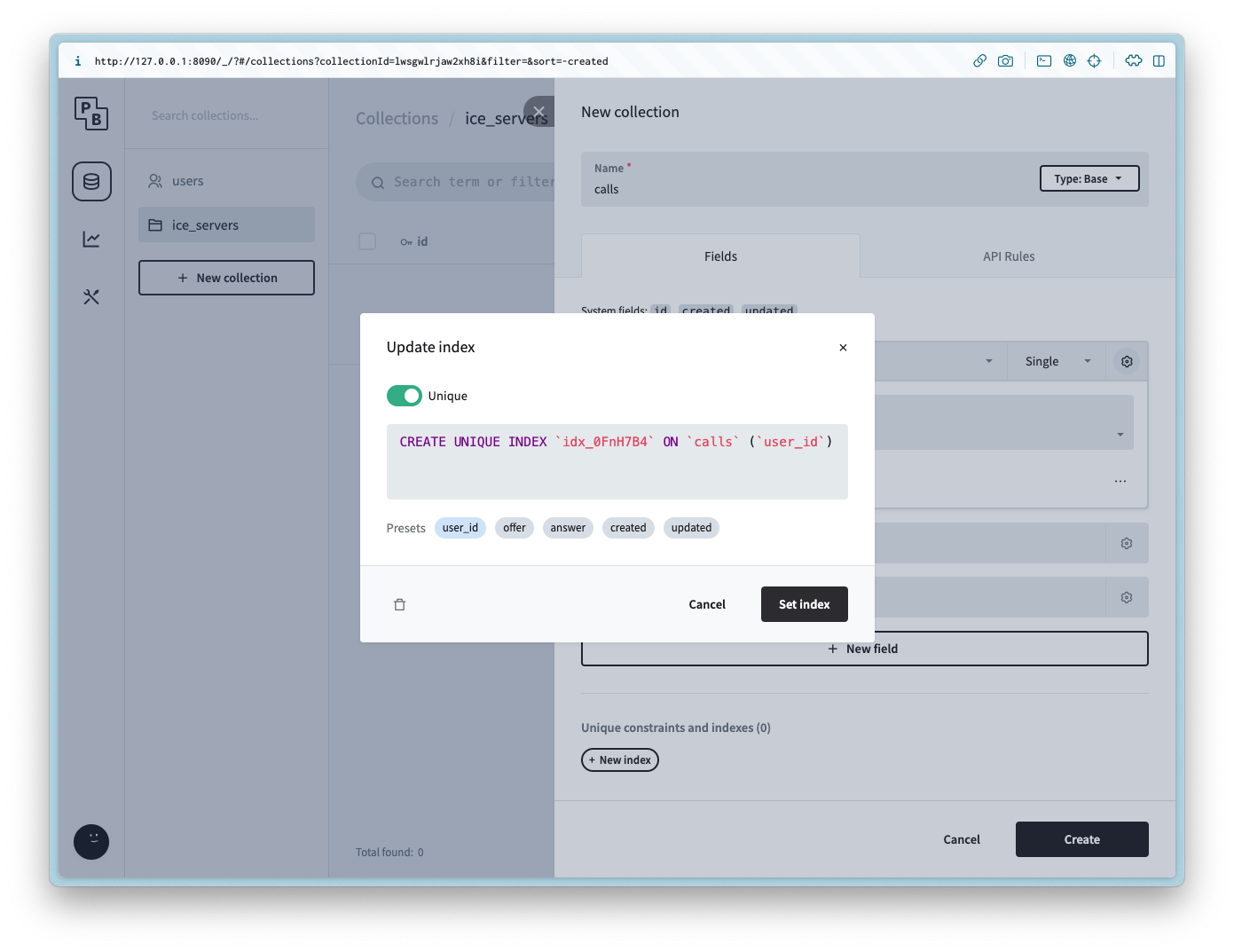
it is also possible to limit the user to one call each by setting the Unique constraint on the `user_id` column.
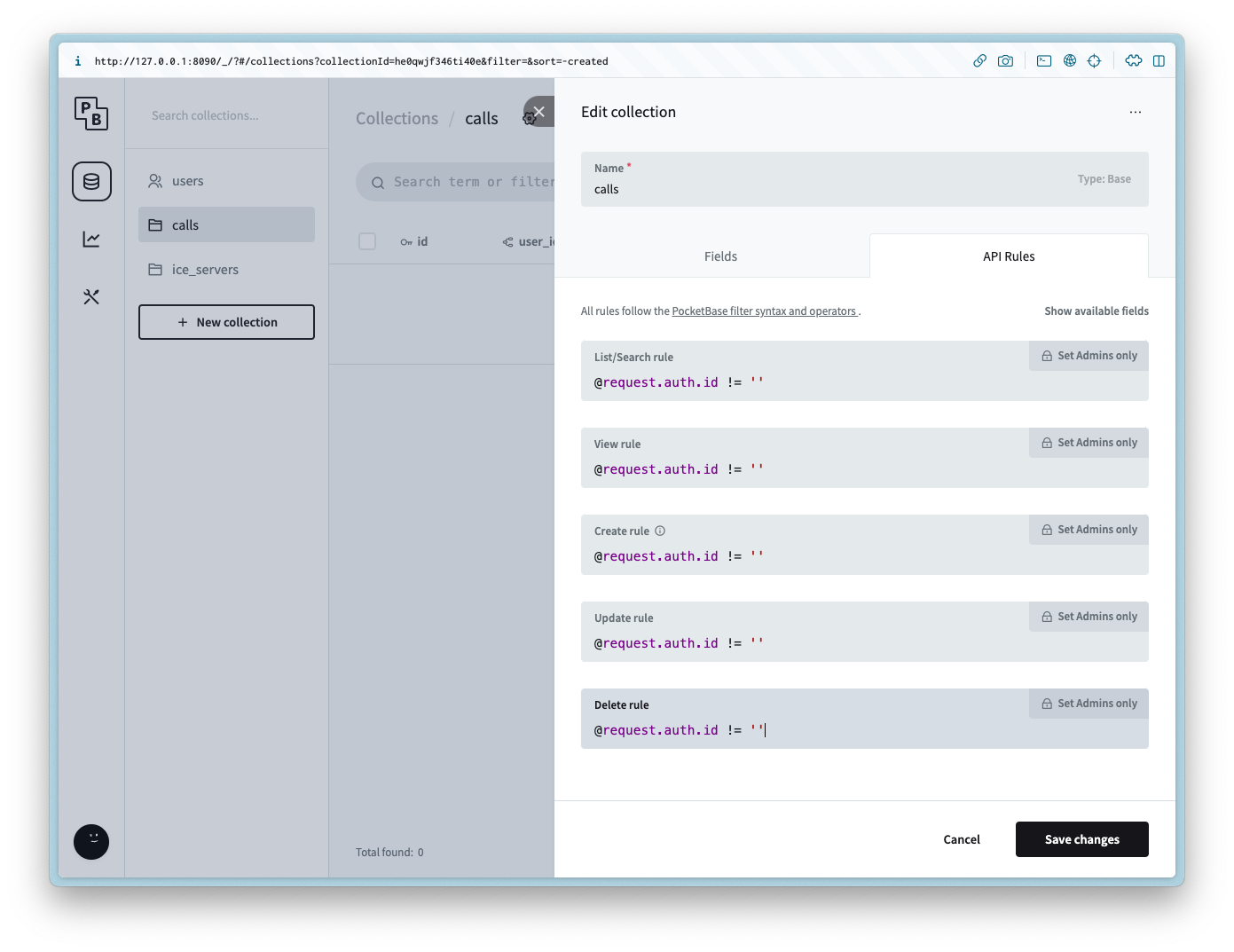
Add the following API rule to all of the methods:
```
@request.auth.id != ''
```
#### offer\_candidates
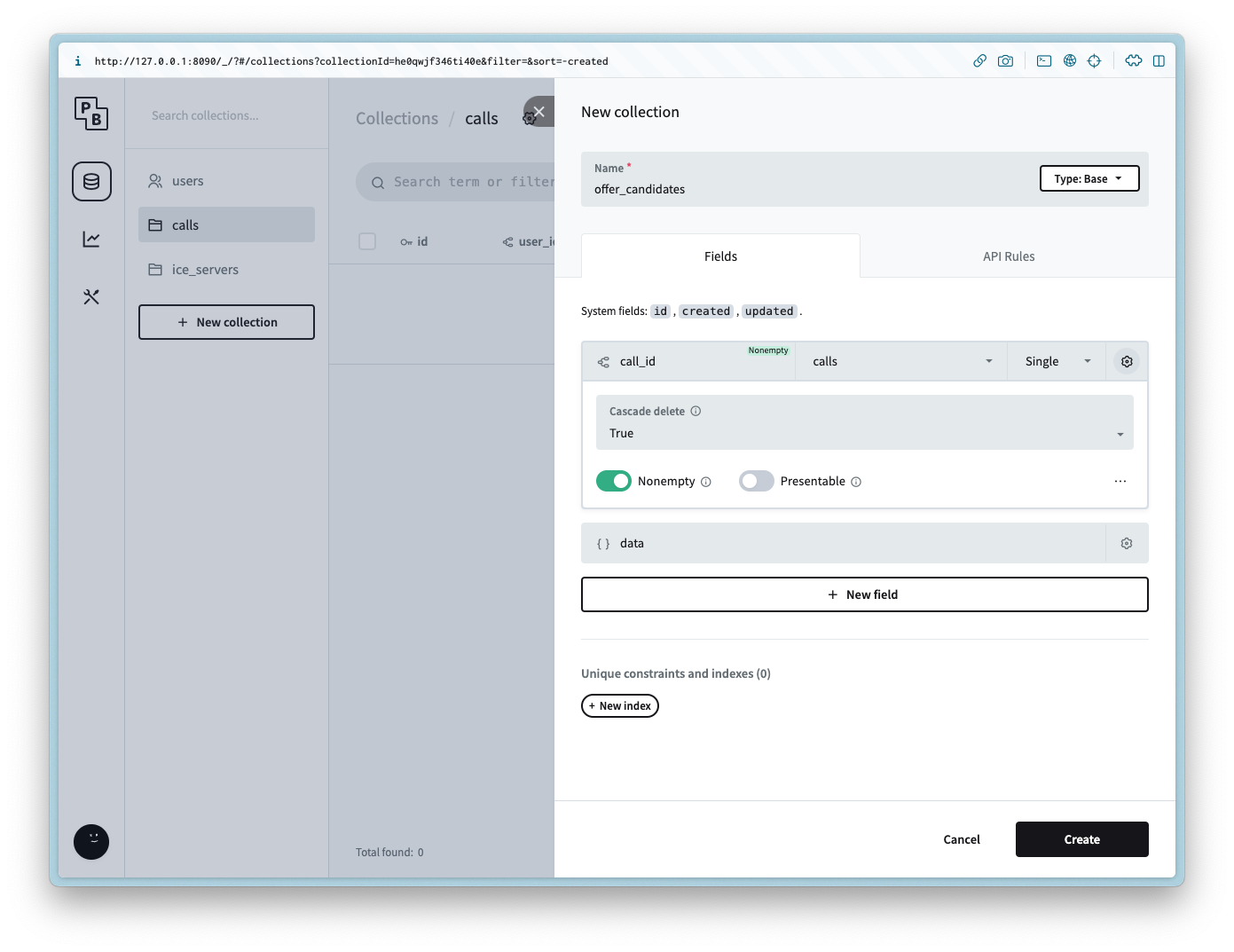
Create a new collection named `offer_candidates` with the following columns:
Column Name
Column Type
Column Settings
call\_id
Relation
Non empty, `calls`, Cascade delete is `true`
data
JSON
Add the following API rule to all of the methods:
```
@request.auth.id != ''
```
#### answer\_candidates
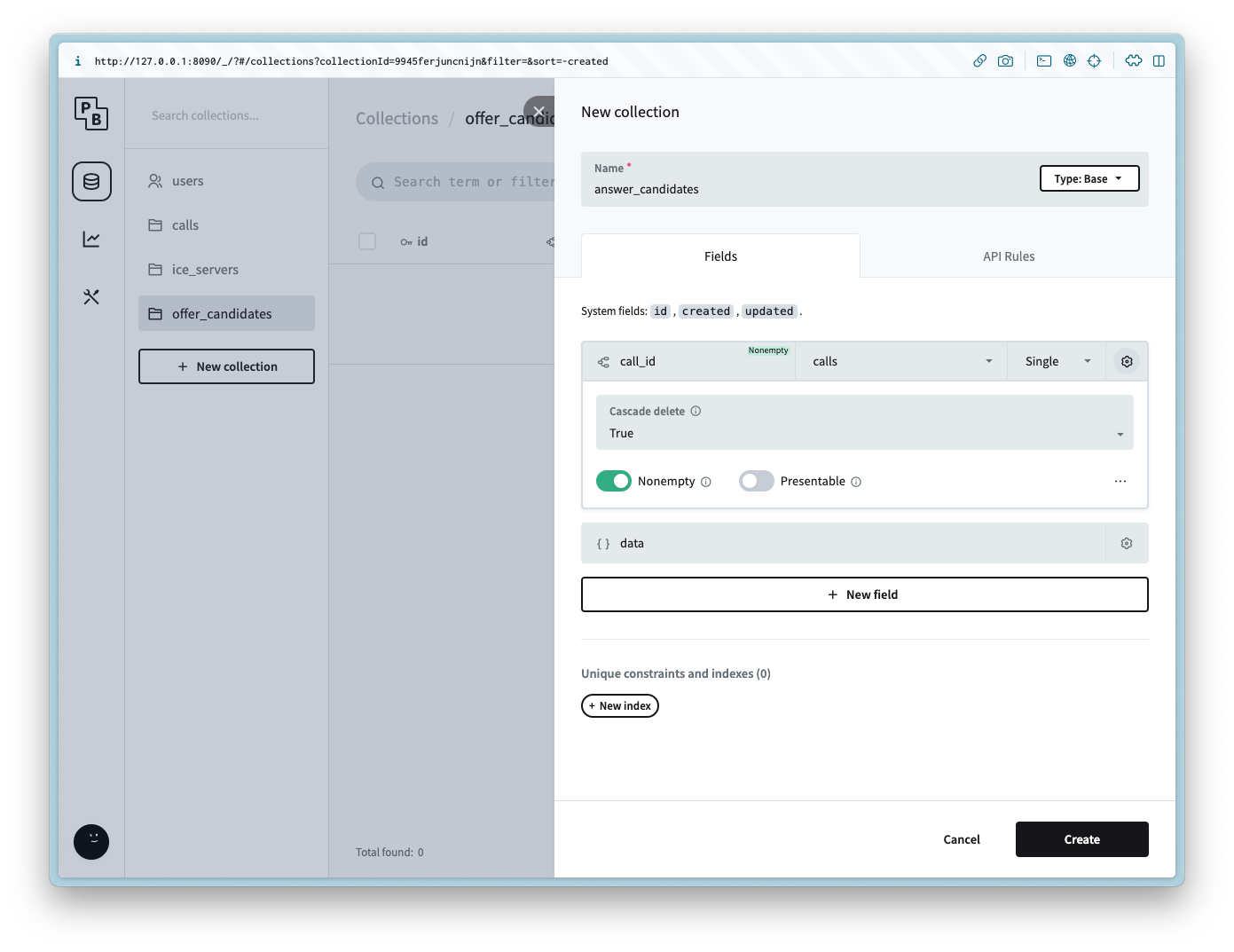
Create a new collection named `answer_candidates` with the following columns:
Column Name
Column Type
Column Settings
call\_id
Relation
Non empty, `calls`, Cascade delete is `true`
data
JSON
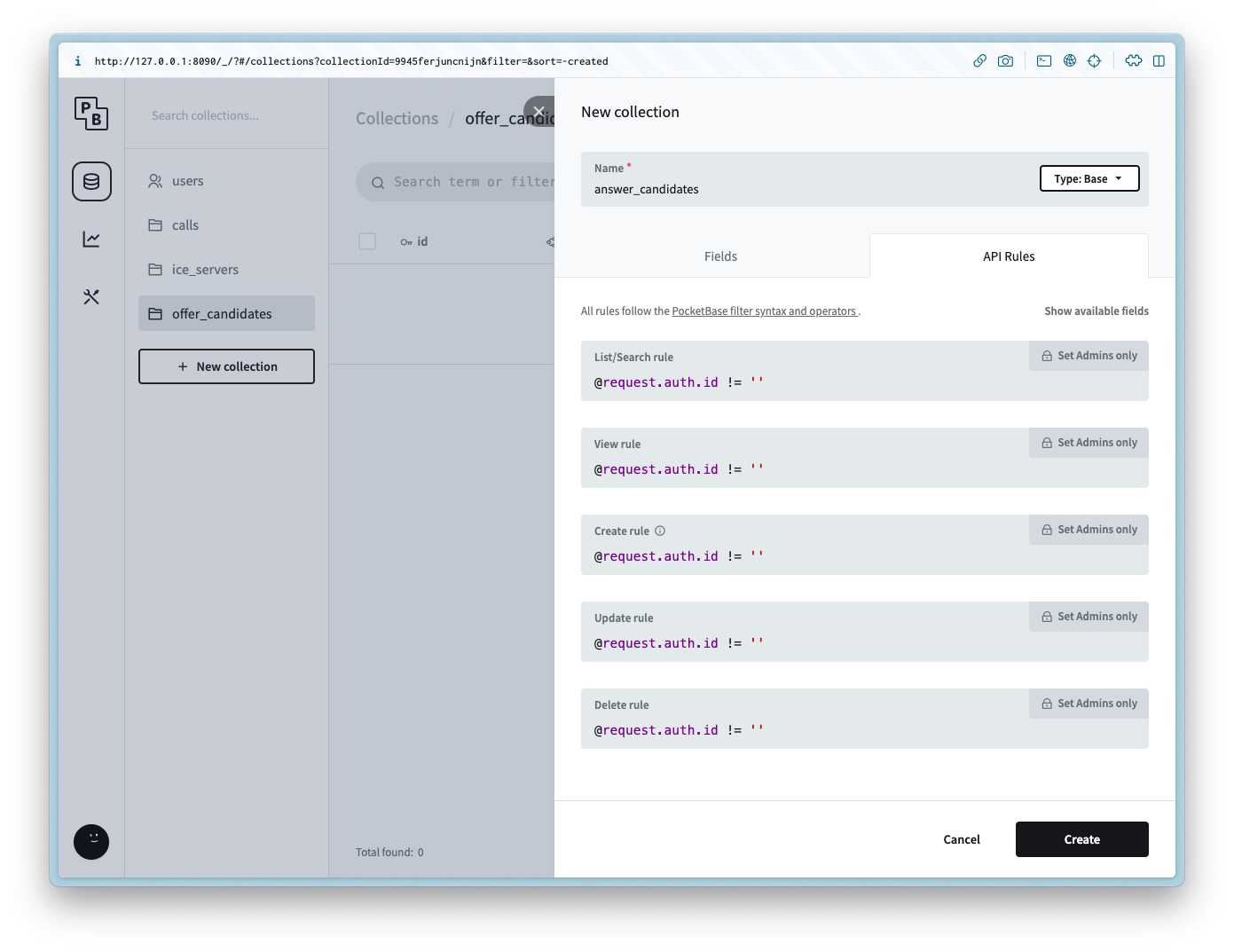
Add the following API rule to all of the methods:
```
@request.auth.id != ''
```
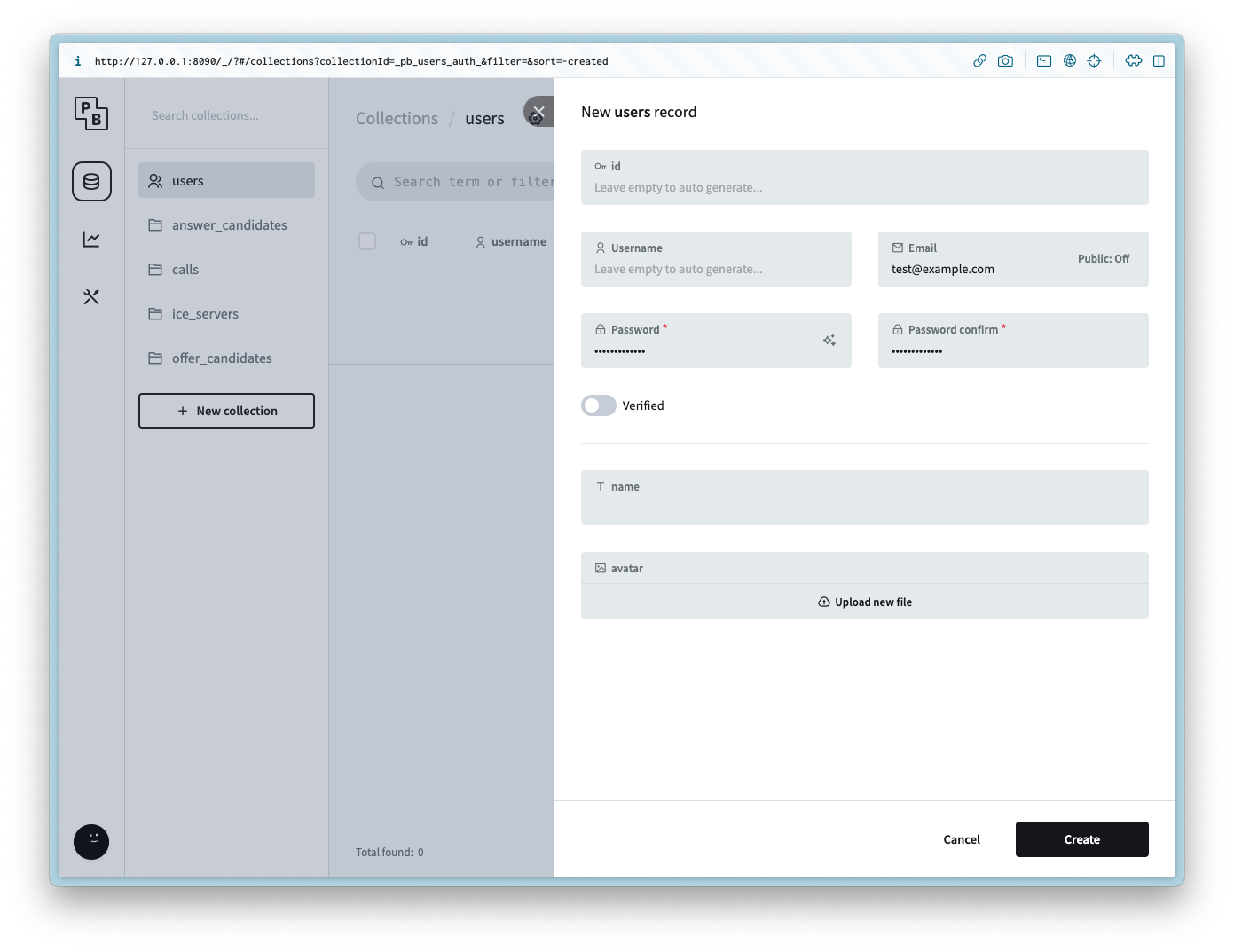
#### users
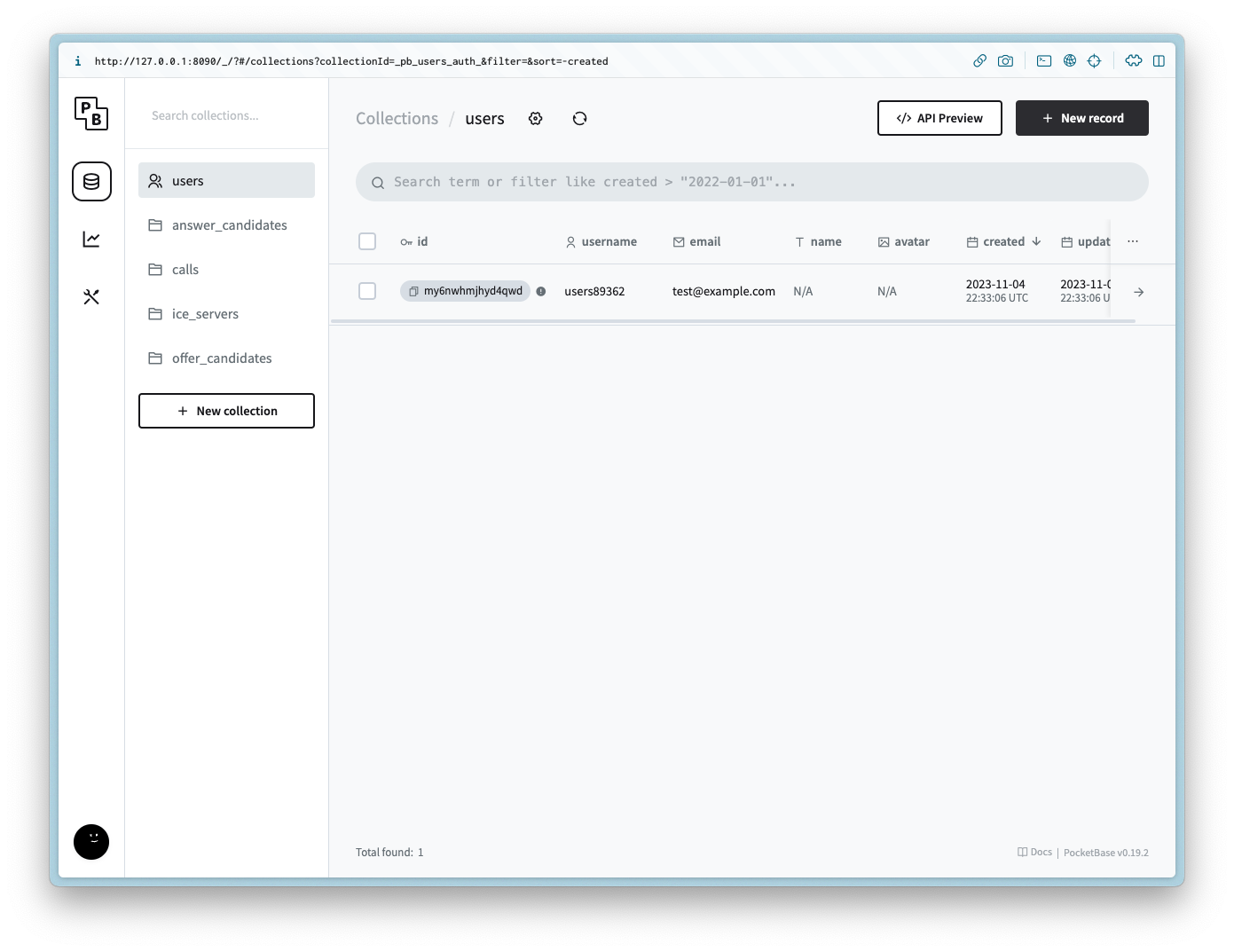
For demo purposes we will not be including an auth form for the user, but to make the example simple create a new user with the same login info for the admin.
## Setting up the client
Navigate to the directory and run the following commands to get started:
```
npm init -y
npm i -D vite
npm i pocketbase
```
Update the `package.json` to be the following:
```
{
"name": "webrtc-pocketbase-demo",
"version": "0.0.0",
"scripts": {
"dev": "vite",
"build": "vite build",
"serve": "vite preview"
},
"devDependencies": {
"vite": "^4.5.0"
},
"dependencies": {
"pocketbase": "^0.19.0"
}
}
```
If you are in a Git repository update/create the `.gitignore` to have the following:
```
node_modules
.DS_Store
dist
dist-ssr
*.local
.pb
.env
```
### HTML
Create `index.html` and add the following:
```
<!DOCTYPE html>
<html lang="en">
<head>
<meta charset="UTF-8" />
<link rel="icon" type="image/svg+xml" href="favicon.svg" />
<meta name="viewport" content="width=device-width, initial-scale=1.0" />
<title>WebRTC Pocketbase Demo</title>
</head>
<body>
<h2>1. Start your Webcam</h2>
<div class="videos">
<span>
<h3>Local Stream</h3>
<video id="webcamVideo" autoplay playsinline></video>
</span>
<span>
<h3>Remote Stream</h3>
<video id="remoteVideo" autoplay playsinline></video>
</span>
</div>
<button id="webcamButton">Start webcam</button>
<h2>2. Create a new Call</h2>
<button id="callButton" disabled>Create Call (offer)</button>``
<h2>3. Join a Call</h2>
<p>Answer the call from a different browser window or device</p>
<input id="callInput" />
<button id="answerButton" disabled>Answer</button>
<h2>4. Hangup</h2>
<button id="hangupButton" disabled>Hangup</button>
<script type="module" src="/main.js"></script>
</body>
</html>
```
### CSS
Create `style.css` and add the following:
```
body {
--text-color: #2c3e50;
--video-background-color: #2c3e50;
font-family: system-ui, -apple-system, BlinkMacSystemFont, "Segoe UI", Roboto,
Oxygen, Ubuntu, Cantarell, "Open Sans", "Helvetica Neue", sans-serif;
-webkit-font-smoothing: antialiased;
-moz-osx-font-smoothing: grayscale;
text-align: center;
color: var(--text-color);
margin: 80px 10px;
}
video {
width: 40vw;
height: 30vw;
margin: 2rem;
background: var(--video-background-color);
}
.videos {
display: flex;
align-items: center;
justify-content: center;
}
```
### JS
Create `main.js` and add the following:
```
import "./style.css";
import PocketBase from "pocketbase";
const pb = new PocketBase("http://127.0.0.1:8090");
const calls = pb.collection("calls");
const offerCandidates = pb.collection("offer_candidates");
const answerCandidates = pb.collection("answer_candidates");
const webcamButton = document.getElementById("webcamButton");
const webcamVideo = document.getElementById("webcamVideo");
const callButton = document.getElementById("callButton");
const callInput = document.getElementById("callInput");
const answerButton = document.getElementById("answerButton");
const remoteVideo = document.getElementById("remoteVideo");
const hangupButton = document.getElementById("hangupButton");
const auth = await pb
.collection("users")
.authWithPassword(
import.meta.env.VITE_PORelated in Image & Video
watch
IncludedWatch a video (URL or local path). Downloads with yt-dlp, extracts auto-scaled frames with ffmpeg, pulls the transcript from captions (or Whisper API fallback), and hands the result to Claude so it can answer questions about what's in the video.
physical-ai-defect-image-generation
IncludedUse when the user wants to orchestrate defect image generation, run associated setup, or handle outputs on OSMO. The Day 0 path handles cold-start with USD-to-ROI, image-edit augmentation, and AnomalyGen to create initial PCBA datasets. The Day 1 path performs inference and labeling on real images. This skill helps with first-time asset setup, creation of finetuning checkpoints, and configuring deployment. Trigger keywords: defect image generation, dig workflow, dig pipeline, defect image detection workflow, aoi pipeline, aoi anomalygen, usd2roi anomalygen, day 0 pcba, day 1 pcba, day 1 real-photo alignment, day 1 manual roi, metal surface anomaly, glass defect, anomalygen finetune, setup_pcb, setup_metal, setup_glass, setup_pretrained, dig setup, dig datasets, dig pretrained checkpoint, dig image-edit endpoint.
accelint-react-best-practices
IncludedReact performance optimization and best practices. ALWAYS use this skill when working with any React code - writing components, hooks, JSX; refactoring; optimizing re-renders, memoization, state management; reviewing for performance; fixing hydration mismatches; debugging infinite re-renders, stale closures, input focus loss, animations restarting; preventing remounting; implementing transitions, lazy initialization, effect dependencies. Even simple React tasks benefit from these patterns. Covers React 19+ (useEffectEvent, Activity, ref props). Triggers - useEffect, useState, useMemo, useCallback, memo, inline components, nested components, components inside components, re-render, performance, hydration, SSR, Next.js, useDeferredValue, combined hooks.
elevenlabs-agents
IncludedBuild conversational AI voice agents with ElevenLabs Platform using React, JavaScript, React Native, or Swift SDKs. Configure agents, tools (client/server/MCP), RAG knowledge bases, multi-voice, and Scribe real-time STT. Use when: building voice chat interfaces, implementing AI phone agents with Twilio, configuring agent workflows or tools, adding RAG knowledge bases, testing with CLI "agents as code", or troubleshooting deprecated @11labs packages, Android audio cutoff, CSP violations, dynamic variables, or WebRTC config. Keywords: ElevenLabs Agents, ElevenLabs voice agents, AI voice agents, conversational AI, @elevenlabs/react, @elevenlabs/client, @elevenlabs/react-native, @elevenlabs/elevenlabs-js, @elevenlabs/agents-cli, elevenlabs SDK, voice AI, TTS, text-to-speech, ASR, speech recognition, turn-taking model, WebRTC voice, WebSocket voice, ElevenLabs conversation, agent system prompt, agent tools, agent knowledge base, RAG voice agents, multi-voice agents, pronunciation dictionary, voice speed control, elevenlabs scribe, @11labs deprecated, Android audio cutoff, CSP violation elevenlabs, dynamic variables elevenlabs, case-sensitive tool names, webhook authentication
humanizer
IncludedHumanize AI-generated text by detecting and removing patterns typical of LLM output. Rewrites text to sound natural, specific, and human. Uses 28 pattern detectors, 560+ AI vocabulary terms across 3 tiers, and statistical analysis (burstiness, type-token ratio, readability) for comprehensive detection. Use when asked to humanize text, de-AI writing, make content sound more natural/human, review writing for AI patterns, score text for AI detection, or improve AI-generated drafts. Covers content, language, style, communication, and filler categories.
generating-mermaid-diagrams
IncludedSalesforce architecture diagrams using Mermaid with ASCII fallback. Use this skill when generating text-based diagrams for Salesforce architecture, OAuth flows, ERDs, integration sequences, or Agentforce structure. TRIGGER when: user says "diagram", "visualize", "ERD", or asks for sequence diagrams, flowcharts, class diagrams, or architecture visualizations in Mermaid. DO NOT TRIGGER when: user wants PNG/SVG image output (use generating-visual-diagrams), or asks about non-Salesforce systems.