how-to-send-push-notifications-on-flutter-web-fcm
Learn how to implement Firebase Cloud Messaging (FCM) in your Flutter web app with this guide, covering service worker setup, helper methods, and testing to enable push notifications.
What this skill does
# How To Send Push Notifications on Flutter Web (FCM)
If you are using Firebase then you are probably familiar with Firebase Cloud Messaging. The setup on Flutter web is very different than mobile and other plugins you are probably used to.

## Setting Up
Open your web/index.html and look for the following script. If you do not have one you can add it now in the tag.
```
<script>
if ("serviceWorker" in navigator) {
window.addEventListener("load", function () {
navigator.serviceWorker.register("/flutter_service_worker.js");
});
}
</script>
```
We need to modify it to support the FCM service worker. The important thing we need to do is comment out the flutter\_service\_worker.js so that we will not get 404 errors when registering the FCM service worker.
```
<script>
if ("serviceWorker" in navigator) {
window.addEventListener("load", function () {
// navigator.serviceWorker.register("/flutter_service_worker.js");
navigator.serviceWorker.register("/firebase-messaging-sw.js");
});
}
</script>
```
Now create a new file called firebase-messaging-sw.js in the web folder with the following contents:
```
importScripts("https://www.gstatic.com/firebasejs/7.5.0/firebase-app.js");
importScripts("https://www.gstatic.com/firebasejs/7.5.0/firebase-messaging.js");
firebase.initializeApp({
apiKey: "API_KEY",
authDomain: "AUTH_DOMAIN",
databaseURL: "DATABASE_URL",
projectId: "PROJECT_ID",
storageBucket: "STORAGE_BUCKET",
messagingSenderId: "MESSAGING_SENDER_ID",
appId: "APP_ID",
measurementId: "MEASUREMENT_ID"
});
const messaging = firebase.messaging();
messaging.setBackgroundMessageHandler(function (payload) {
const promiseChain = clients
.matchAll({
type: "window",
includeUncontrolled: true
})
.then(windowClients => {
for (let i = 0; i < windowClients.length; i++) {
const windowClient = windowClients[i];
windowClient.postMessage(payload);
}
})
.then(() => {
return registration.showNotification("New Message");
});
return promiseChain;
});
self.addEventListener('notificationclick', function (event) {
console.log('notification received: ', event)
});
```
Make sure to replace the config keys with your firebase keys.
## Helper Methods
Create a new dart file wherever you like named firebase\_messaging.dart with the following:
```
import 'dart:async';
import 'package:firebase/firebase.dart' as firebase;
class FBMessaging {
FBMessaging._();
static FBMessaging _instance = FBMessaging._();
static FBMessaging get instance => _instance;
firebase.Messaging _mc;
String _token;
final _controller = StreamController<Map<String, dynamic>>.broadcast();
Stream<Map<String, dynamic>> get stream => _controller.stream;
void close() {
_controller?.close();
}
Future<void> init() async {
_mc = firebase.messaging();
_mc.usePublicVapidKey('FCM_SERVER_KEY');
_mc.onMessage.listen((event) {
_controller.add(event?.data);
});
}
Future requestPermission() {
return _mc.requestPermission();
}
Future<String> getToken([bool force = false]) async {
if (force || _token == null) {
await requestPermission();
_token = await _mc.getToken();
}
return _token;
}
}
```
Create a button in the app that will be used to request permissions. While it is possible to request for permission when the app launches this is usually bad practice as the user is unlikely to accept and there is no trust built yet. You can request permissions with the following:
```
final _messaging = FBMessaging.instance;
_messaging.requestPermission().then((_) async {
final _token = await _messaging.getToken();
print('Token: $_token');
});
```
You can listen to messages with the following:
```
final _messaging = FBMessaging.instance;
_messaging.stream.listen((event) {
print('New Message: ${event}');
});
```
## Testing
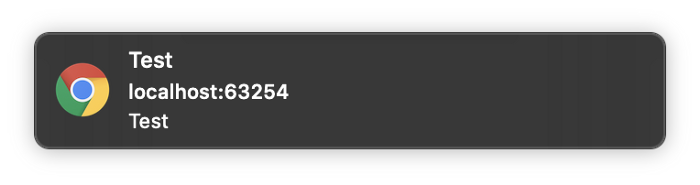
Now when you run your application and request permissions you will get a token back. With this token you can open the firebase console and sent a test message to the token.
## Conclusion
Now you can send push notifications to Flutter apps! You still need to use conditional imports to support the mobile side as well but stay tuned for an example with that. Let me know your questions and any feedback you may have.Related in Web Dev
generating-lwc-components
IncludedLightning Web Components with PICKLES methodology and 165-point scoring. Use this skill when the user creates or edits LWC components, builds wire service patterns, or writes Jest tests for LWC. TRIGGER when: user creates/edits LWC components, touches lwc/**/*.js, .html, .css, .js-meta.xml files, or asks about wire service, SLDS, or Jest LWC tests. DO NOT TRIGGER when: Apex classes (use generating-apex), Aura components, or Visualforce.
tanstack-query
IncludedManage server state in React with TanStack Query v5. Set up queries with useQuery, mutations with useMutation, configure QueryClient caching strategies, implement optimistic updates, and handle infinite scroll with useInfiniteQuery. Use when: setting up data fetching in React projects, migrating from v4 to v5, or fixing object syntax required errors, query callbacks removed issues, cacheTime renamed to gcTime, isPending vs isLoading confusion, keepPreviousData removed problems.
document-processor-api
IncludedProcess documents with Nutrient DWS. Use when the user wants to generate PDFs from HTML or URLs, convert Office/images/PDFs, assemble or split packets, OCR scans, extract text/tables/key-value pairs, redact PII, watermark, sign, fill forms, optimize PDFs, or produce compliance outputs like PDF/A or PDF/UA. Triggers include convert to PDF, merge these PDFs, OCR this scan, extract tables, redact PII, sign this PDF, make this PDF/A, or linearize for web delivery.
nutrient-document-processing
IncludedProcess documents with Nutrient DWS. Use when the user wants to generate PDFs from HTML or URLs, convert Office/images/PDFs, assemble or split packets, OCR scans, extract text/tables/key-value pairs, redact PII, watermark, sign, fill forms, optimize PDFs, or produce compliance outputs like PDF/A or PDF/UA. Triggers include convert to PDF, merge these PDFs, OCR this scan, extract tables, redact PII, sign this PDF, make this PDF/A, or linearize for web delivery.
tanstack-query
IncludedManage server state in React with TanStack Query v5. Covers useMutationState, simplified optimistic updates, throwOnError, network mode (offline/PWA), and infiniteQueryOptions. Use when setting up data fetching, fixing v4→v5 migration errors (object syntax, gcTime, isPending, keepPreviousData), or debugging SSR/hydration issues with streaming server components.
accelint-nextjs-best-practices
IncludedNext.js performance optimization and best practices. Use when writing Next.js code (App Router or Pages Router); implementing Server Components, Server Actions, or API routes; optimizing RSC serialization, data fetching, or server-side rendering; reviewing Next.js code for performance issues; fixing authentication in Server Actions; or implementing Suspense boundaries, parallel data fetching, or request deduplication.